Back
Back May 28, 2026
How to Photograph Clothes to Sell Online (2026 Guide)

How to Photograph Clothes to Sell Online (2026 Guide)
Most clothing sellers are making one of two mistakes. They are spending too little and posting flat lays that do not convert - or spending too much on professional shoots that do not pay back.
Neither extreme is necessary. There are four practical methods for photographing clothes to sell online, and the right one depends on your budget, catalog size, and the garments you sell. This guide ranks all four by cost and skill level, gives you the conversion data behind each, and helps you choose the approach that fits where your brand actually is today.
If you already know you want flat lay, our flat lay clothing photography setup guide covers the full workflow. If you already know you want ghost mannequin, the ghost mannequin effect guide starts there. If you are not sure which method fits your situation, keep reading.
Why Photo Quality Directly Affects How Much You Sell
Product photography is not just a presentation decision. It is a conversion variable.
The research is consistent. On-model and 3D product photos convert 20-30% better than flat lays. Click-through rates run 25-35% higher. Returns drop 15-25% when customers can see how a garment actually fits and drapes.
That last number is the one most sellers underestimate. Fashion return rates average 24-26%, and poor fit visualization drives the majority of them. A customer who cannot tell from a photo whether a shirt will fit through the shoulders, or how a dress sits at the waist, is either not buying - or buying and returning.
Returns are not only a fulfillment cost. They are a signal that your photos are not doing their job. Better photography is one of the highest-ROI investments a clothing brand can make, when the method is matched to the product and the customer.
The 4 Methods at a Glance
| Method | Cost/Image | Skill | Conversion vs. Flat Lay | Best For |
|---|---|---|---|---|
| Flat Lay | $0-$15 | Beginner | Baseline | Accessories, basics, high-velocity catalogs |
| Ghost Mannequin | $0.50-$50 | Intermediate | +10-15% | Structured clothing, consistent 3D look without a model |
| On-Model | $40-$200 | Advanced (requires team) | +20-30% | Fit-critical garments, premium brands |
| AI (FuturMotion) | Under $1 | Beginner | +20-30% | Any garment; especially flat-lay-to-on-model workflows |
Method 1: Flat Lay (Beginner / $0-$200 Setup)
Flat lay clothing photography is where most sellers start. Lay the garment on a clean surface, shoot from directly overhead, and you have a product photo. No model, no studio, no equipment beyond a phone and a clean background.
For sellers adding products regularly without a production infrastructure, it is the most practical format to sustain.
When flat lay works:
- Accessories and jewelry, where fit is not part of the purchase decision
- Folded knits and basics, where color and texture are the primary variables
- Low average-order-value products where on-model ROI does not work at the margins
- High-velocity catalogs where consistency and speed matter more than peak conversion
When flat lay works against you:
- Structured clothing where the silhouette on a body is what customers are evaluating - a blazer laid flat tells a customer nothing about how it drapes on shoulders
- Premium brand positioning - flat lay signals affordable and accessible regardless of how well it is executed
- High-return-rate SKUs - if specific garments are generating disproportionate returns, poor fit visualization is usually a contributing factor
The full setup - lighting, camera position, styling techniques for adding dimension, and the common mistakes that cost conversions - is covered in our flat lay clothing photography guide. Start there if flat lay is your primary method.
Method 2: Ghost Mannequin (Intermediate / $0-$50/SKU)
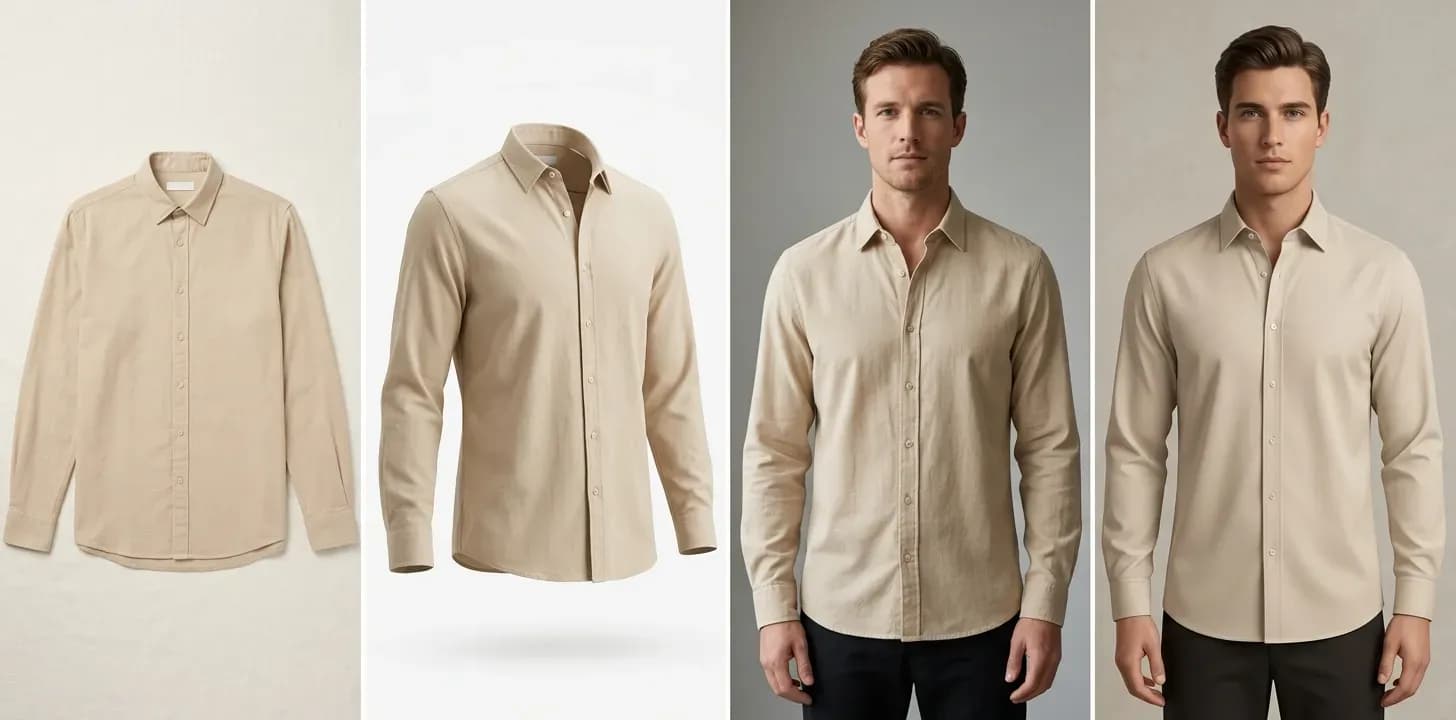
Ghost mannequin photography is the logical middle ground between flat lay and a full on-model shoot. Photograph the garment on a physical mannequin, then remove the mannequin in post-production. The result is a clean, hollow 3D shape - the garment appears to float as if worn by an invisible body.
It delivers real improvements over flat lay: roughly 10-15% conversion lift, consistent catalog presentation, and the 3D structural information - collar shape, sleeve fall, garment silhouette - that flat lay cannot show.
There are three ways to get the effect:
- DIY in Photoshop - Photograph on a mannequin and composite out the mannequin using the pen tool. Takes 20-45 minutes per garment for an experienced editor; 1-2 hours if you are learning. Full equipment cost runs $900-$2,500 to set up.
- Outsourcing - Send mannequin shots to a retouching service. Editing-only runs $0.89-$3.00/image. Full-service (shoot and edit) runs $15-$50/SKU. A 100-SKU catalog at full service costs $1,500-$5,000 in editing alone, before shooting costs.
- AI - Upload a flat-lay photo and receive a ghost mannequin or on-model result in under 60 seconds. Covered in Method 4.
For a full explanation of how traditional compositing works and where it earns its results, read our ghost mannequin effect guide. For a direct comparison of every outsourcing option with real pricing, our ghost mannequin services comparison covers all the major providers.
FuturMotion's ghost mannequin alternative is the AI path for sellers who want that 3D effect without a mannequin, Photoshop, or a retouching queue.
Ghost mannequin works best for: structured shirts, blazers, tailored pieces, and any garment where the 3D silhouette directly affects the purchase decision.
Where it struggles: sheer fabrics and heavy embellishment - the traditional compositing process requires clean garment boundaries that transparent or highly reflective materials make difficult. For anything where the full on-body presentation matters - swimwear, fitted dresses, premium positioning - on-model or AI closes more of the conversion gap.
Method 3: On-Model (Advanced / $40-$200/Image)
On-model photography delivers the highest conversion of any format. Customers see the garment on a body. Fit, drape, proportion, and movement are all visible. The 20-30% conversion lift over flat lay and the 15-25% reduction in returns are consistent across data.
The challenge is cost. A professional studio day rate runs $500-$3,000. Add model fees ($300-$800 per half-day) and hair and makeup ($150-$400 per session) and the per-image cost rarely matches the marketing math it is supposed to improve.
The quoted rate - often $40 per image - is the calculation after dividing session cost across a full shooting schedule. The realized rate is different. Account for setup time, garment changes, reshoots, and session overhead, and that $40 per image becomes $84 per image in practice. For a brand with 500 SKUs refreshing annually, photography costs can reach $125,000-$250,000 per year.
One seller in the community spent $12,347 on a professional shoot for roughly 40 pieces and watched conversion drop from 3.2% to 2.7% - the models did not resonate with their target customer. The full breakdown is in our flat lay vs. on-model analysis. The lesson is not that on-model photography fails. It is that model resonance and brand alignment matter as much as format.
On-model makes sense when: you are selling fit-critical garments (structured blazers, tailored trousers, fitted dresses, swimwear), your AOV supports the shoot economics, and you have selected models who resonate with your specific customer base.
When it does not make sense: high-velocity catalogs, low-AOV products, sample-stage drops where you need listings before production is complete, and any situation where the shoot math produces a cost larger than the revenue lift.
Method 4: AI (Beginner / Under $1/Image)
AI photography tools for fashion now close the gap between flat lay cost and on-model results. Upload a flat-lay photo. In under 60 seconds, you get professional product imagery showing the garment with on-model presentation - without a model, studio, mannequin, or Photoshop session.
This is not generic AI image generation. The distinction matters specifically for clothing because fabric - how a cotton shirt drapes differently than a silk blouse, how a structured blazer holds its shoulder shape, how a knit sweater falls - is what generic tools get wrong. Purpose-built fashion AI is trained on garment geometry and handles the challenges specific to clothing photography: fabric drape, collar depth, sleeve fall, and accurate body proportions.
FuturMotion's fashion AI tools are built for exactly this use case. The input is the flat-lay photo most clothing sellers are already shooting. From that single image, FuturMotion produces:
- On-model photos showing accurate fabric drape and natural body proportions, directly from a flat lay - the flat-lay-to-on-model workflow that removes the studio entirely
- Living Motion video - the product photo becomes a short video with fabric-aware motion for Reels, TikTok, and Shorts, the format that drives the highest engagement in fashion content
- FrameSync for multi-photo products requiring consistent motion across multiple angles
- Virtual Try-On to show the same garment across different body types and settings
- AI Image Edit for targeted adjustments without reprocessing from scratch
- AI background removal trained specifically on clothing, handling transparent fabrics and fine edge detail that general-purpose tools miss
Pricing:
| Plan | Monthly Price | Credits | Effective Cost/Image |
|---|---|---|---|
| Basic | $25/month | 2,000 credits | ~$0.50/image |
| Creator | $49/month | 5,000 credits | ~$0.50/image |
| Studio | $199/month | 25,000 credits | ~$0.40/image |
At the Creator tier, a brand processing 200 SKUs pays roughly $0.50 per image for on-model output - compared to $84 realized cost per on-model shoot image. For a 500-SKU brand, that difference is the gap between a $10,000+ photography season and a $500 one.
Over 500 fashion brands use FuturMotion to turn flat-lay photos into on-model imagery, Living Motion video, and Virtual Try-On experiences without a studio.
Honest limitations: Sheer fabrics - voile, organza, fine lace - are harder for AI because transparent boundaries complicate segmentation. Heavily embellished pieces with sequins or thick beading can produce inconsistent results. For these specific categories, test during a free trial before committing a full batch. For the full capability breakdown across garment types, our AI ghost mannequin guide covers where the technology performs reliably and where it still has edges.
Phone vs. Camera: Does It Actually Matter?
For most clothing sellers, the answer is no.
A modern smartphone - any flagship from the last three years - produces product photos that are indistinguishable from entry-level DSLR shots at standard e-commerce output sizes. The camera is not the bottleneck. Lighting is.
A phone shot in consistent, even light produces better results than a DSLR shot in poor light. The two variables that determine flat lay photo quality are: even illumination across the garment with no harsh shadows or hotspots, and a true 90-degree overhead angle that does not introduce perspective distortion. Both are achievable with a phone and a $10 piece of white foam board.
Where a dedicated camera makes a real difference:
- Ghost mannequin compositing - Photoshop pen-tool masking is meaningfully easier with high-resolution RAW files and a camera with manual white balance control
- Tight detail shots - cuffs, construction, texture close-ups - where phone lens compression and dynamic range limitations can show
- High-volume in-house production - where tethering, batch workflows, and session consistency require camera-grade equipment
For a seller adding products monthly and shooting flat lays, a phone is sufficient. Invest in better lighting before investing in a better camera.
Platform-Specific Tips
Etsy: Shoppers expect lifestyle context. Lead with a clean product shot, then add 2-3 styled flat lays or lifestyle images. Square images (1:1) display cleanly in search results. Use at least 2,000px on the long edge to enable zoom.
Shopify: Your first image is the thumbnail in collection pages. A consistent background color across all products makes your catalog look intentional. Shopify supports .webp, which loads faster than .jpg at equivalent quality - worth enabling at export.
Amazon: The primary image must be on a pure white background, garment filling at least 85% of the frame. No text, no props, no watermarks on the primary image. Amazon explicitly recommends on-model or mannequin photos as the primary image for clothing categories. Secondary images can show detail, packaging, and lifestyle context.
Instagram: Video outperforms static in the feed and Reels. A Living Motion clip with fabric movement drives significantly higher engagement than a static flat lay. If you are generating motion content from flat lays, Instagram is where the incremental return is most visible.
6 Mistakes That Kill Clothing Sales Online
1. Shooting wrinkled garments. There is no post-processing shortcut for wrinkles you can prevent at the source. Steam every piece before you shoot. A garment steamer is worth more per dollar than almost any other photography equipment for clothing sellers.
2. Inconsistent backgrounds. A catalog where each product image has a slightly different shade of white, or mixes white with gray with lifestyle backgrounds, looks rushed. Choose one background treatment and apply it across all core product images.
3. Overhead ceiling lights during flat lay sessions. Ceiling lights illuminating from above cast shadows from your tripod, extension arm, and your own body onto the shooting surface. Turn ceiling lights off and use only dedicated softboxes or window light positioned at 45-degree angles to the garment.
4. No detail shots. A garment with interesting fabric, visible construction, or specialty embroidery needs close-up images that show what justifies the price. A single overhead flat lay of a textured piece undersells it.
5. No scale reference. Flat lay photography gives customers almost no sense of garment proportion. A detail shot next to a familiar object, or a second image showing a hand holding part of the piece, communicates size in a way a catalog image cannot.
6. Distracting props in primary product images. Props are useful for styled content and social media. They are a distraction in the primary listing image. A vase, sunglasses, and a candle beside a T-shirt shift attention away from what the customer is actually evaluating. Keep primary product images clean.
All 4 Methods Compared
| Flat Lay | Ghost Mannequin | On-Model | AI (FuturMotion) | |
|---|---|---|---|---|
| Cost/image | $0-$15 | $0.50-$50 | $40-$200 realized | Under $1 |
| Time/SKU | 5-15 min | 30 min-48 hr (DIY to outsourced) | Studio day + queue | Under 60 seconds |
| Skill needed | None | Intermediate-Advanced (DIY) | Requires photography team | None |
| Conversion vs. flat lay | Baseline | +10-15% | +20-30% | +20-30% |
| Scalability | High | Moderate | Low | High |
| When to use | Accessories, basics, high-velocity catalogs | Structured clothing, 3D look without a model | Fit-critical garments, premium brands with shoot budget | Any garment; especially flat-lay-to-on-model pivots |
Frequently Asked Questions
What's the best way to photograph clothes for sale?
The best method depends on what you sell and what it costs to sell it. Flat lay is practical for accessories, basics, and high-velocity catalogs. Ghost mannequin works for structured clothing where the 3D silhouette matters. On-model is worth the investment for fit-critical garments and premium brands with the economics to support a shoot. AI tools like FuturMotion produce on-model results at under $1 per image and are the most practical option for most sellers who want to move beyond flat lay without a $5,000-plus shoot.
Do I need a model to sell clothes online?
No. Ghost mannequin photography and AI fashion tools both produce professional product images without a model. AI tools specifically take the flat-lay photos you are already shooting and produce on-model-quality output - accurate fabric drape, natural body proportions, and the dimensional presentation that improves conversion over flat lay - at under $1 per image. You can capture most of the conversion benefit of on-model photography without hiring a model.
What camera do I need to photograph clothes?
For flat lay photography and AI-input workflows, a modern smartphone is sufficient. The variable that matters most is lighting, not camera hardware. For ghost mannequin compositing in Photoshop, a camera with manual controls and RAW output makes masking significantly easier. For on-model photography in a studio setting, a DSLR or mirrorless with a 50-85mm lens is the standard range.
How do you photograph clothes without a mannequin?
Two practical options: flat lay, where the garment is laid on a clean surface and photographed from overhead; or AI, where a flat-lay photo is transformed into on-model imagery or a ghost mannequin effect by a tool like FuturMotion. AI is the more complete option because it produces the 3D, on-body presentation that flat lay cannot - without any physical studio equipment.
How do I make my product photos look professional?
The single highest-impact change is lighting. Even, shadow-free illumination from two softboxes or diffused window light eliminates the amateur look faster than any other adjustment. After lighting: steam every garment before shooting, use a consistent background treatment across your entire catalog, and shoot every product from the same angle and distance. Consistency across a catalog is what separates professional-looking product photography from a patchwork of individually decent images.
How much does product photography cost for a clothing brand?
It varies widely by method. Flat lay DIY: $0-$5 per image once equipment is in place. Outsourced flat lay: $5-$15 per image. Ghost mannequin full service: $15-$50 per SKU. On-model professional shoot: $40-$200 per image at realized cost, with full collections often reaching $5,000-$20,000 or more. AI (FuturMotion): under $1 per image - the Creator plan at $49/month covers roughly 5,000 credits, making the per-image math straightforward for brands with regular catalog volume.
Can I use my phone to photograph clothes for selling?
Yes, for flat lay and AI-input workflows. A phone camera is sufficient for the resolution and quality that AI tools require, and a flat lay shot on a phone with good lighting is publish-ready for Etsy, Shopify, and most marketplaces. The exception is ghost mannequin compositing in Photoshop, where RAW file flexibility and higher resolution make precision masking significantly easier. For flat lay, AI processing, and lifestyle content, a phone is a practical and fully adequate tool.
How do I photograph clothes for Etsy/Shopify/Amazon?
Etsy: Lead with a clean product shot, add 2-3 lifestyle or styled images. Square crop (1:1) displays best in search. At least 2,000px on the long edge for zoom functionality.
Shopify: First image is the collection thumbnail - keep backgrounds consistent across all products. Second and third images show detail and context. Export in .webp for faster load times.
Amazon: Primary image on pure white background, garment filling 85% of the frame, no props or text. Additional images can show fit, sizing charts, detail, and lifestyle context. On-model or mannequin is recommended for the primary image in clothing categories.
What to Do Next
Most clothing sellers reading this post are in one of two places: shooting flat lay and leaving conversion on the table, or spending on shoots that are difficult to justify at the margins.
The practical path forward:
If flat lay is working for your category - accessories, basics, high-volume - execute it well. The flat lay setup guide covers every variable that determines output quality. The biggest conversion lift usually comes from better lighting and more consistent framing, not new equipment.
If you sell structured clothing - shirts, jackets, blazers, tailored dresses - and flat lay is your primary format, ghost mannequin or AI should be your next step. FuturMotion's ghost mannequin alternative produces the 3D effect from your existing flat-lay photos without a mannequin, Photoshop, or a retouching queue. The conversion gap between flat lay and on-model is where most clothing brands are leaving the most revenue.
If you want the full on-model result at flat lay cost, FuturMotion's fashion AI tools turn a flat-lay photo into on-model imagery, Living Motion video, and Virtual Try-On content in under 60 seconds. For the 500+ fashion brands using the platform, the workflow change is: stop spending months of shoot budget and start publishing more content, more consistently, from what you are already shooting.
Related Articles
Read our other article
Dive into more guides to help you grow
May 4, 2026Flat Lay vs. On-Model Photos: Which Actually Converts Better?
The conversion data behind flat lay vs. on-model photography-costs, tradeoffs, and the middle-ground options that close the gap without a $10K shoot.
 Apr 28, 2026
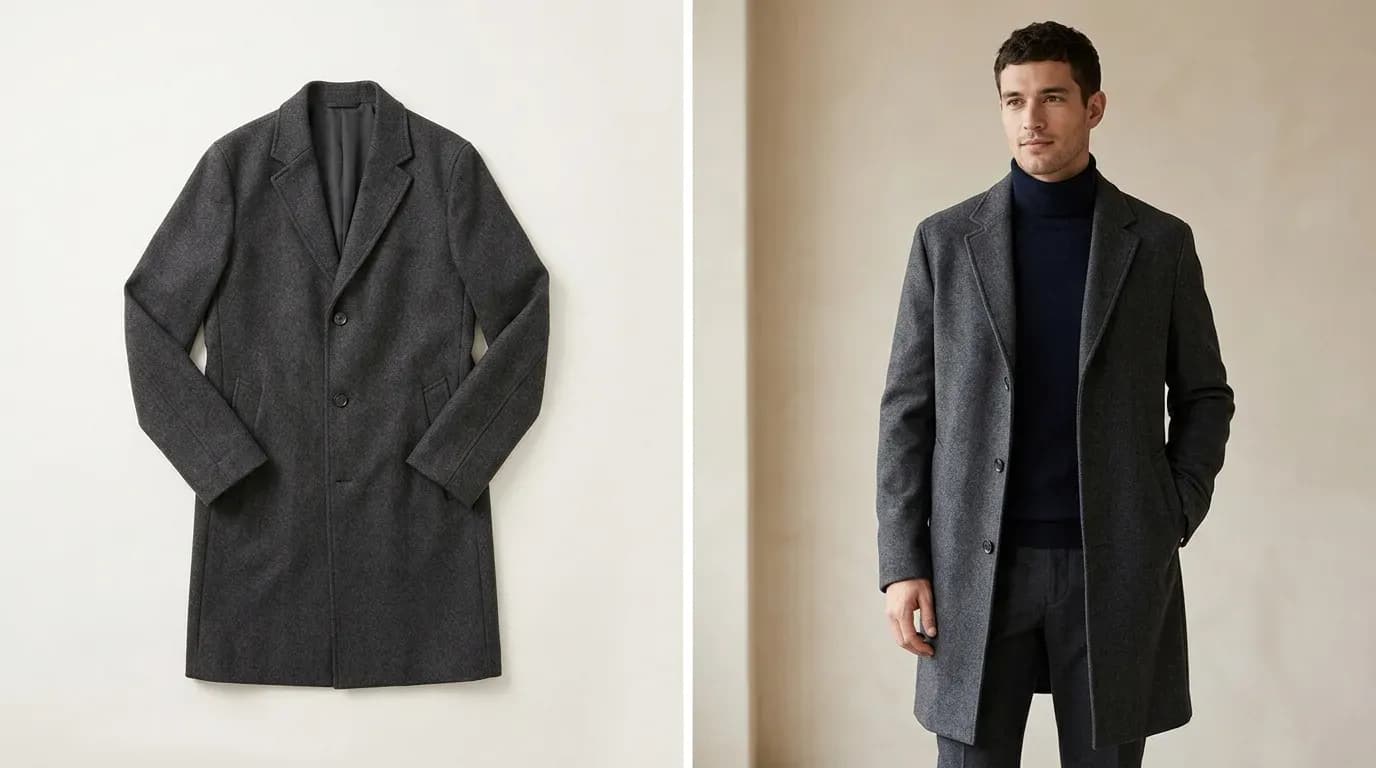
Flat Lay Clothing Photography: Complete Setup Guide for Ecommerce
Set up flat lay clothing photography on any budget - gear, lighting, styling, and a practical path to upgrading flat lays into on-model shots with AI.
 Apr 22, 2026
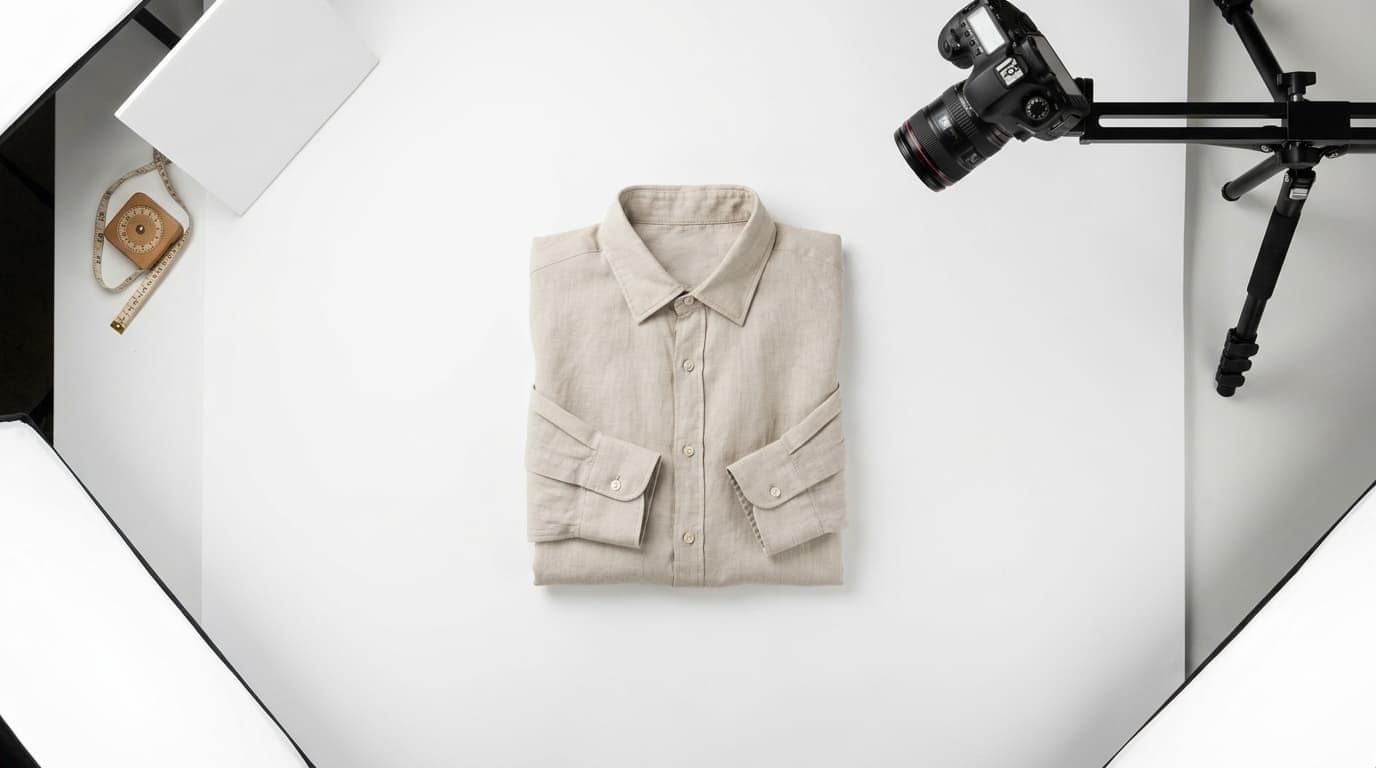
AI Ghost Mannequin: How to Create the Effect in Seconds (No Photoshop)
Learn how AI ghost mannequin tools work, step by step - what the AI reconstructs, which garments it handles best, and where it still has limits.