Back
Back April 28, 2026
Flat Lay Clothing Photography: Complete Setup Guide for Ecommerce

Flat Lay Clothing Photography: The Complete Setup Guide for Ecommerce
Flat lay clothing photography is where most sellers start. The appeal is obvious: no model, no studio, no creative direction required. You lay the garment on a clean surface, shoot from overhead, and you have a product photo. Sort of.
The gap between "technically a photo" and "a photo that sells" is where most flat lays fall short. Wrinkles you stopped noticing. Backgrounds that don't match across listings. Garments so flat they look two-dimensional - more like a pattern piece than a product someone would wear. Customers cannot tell how a shirt hangs or whether a dress has any real shape.
This guide fixes that. You will get the actual setup, the lighting approach that works, the styling techniques that add dimension, and the common errors that kill conversions. You will also understand exactly when flat lay is the right choice - and when it is not.
If you are weighing flat lay against ghost mannequin or invisible mannequin photography, read our complete ghost mannequin effect guide for that comparison. And stay with this post to the end: the final section covers how to turn a flat lay into an on-model shot without a model, mannequin, or Photoshop.
What Is Flat Lay Clothing Photography?
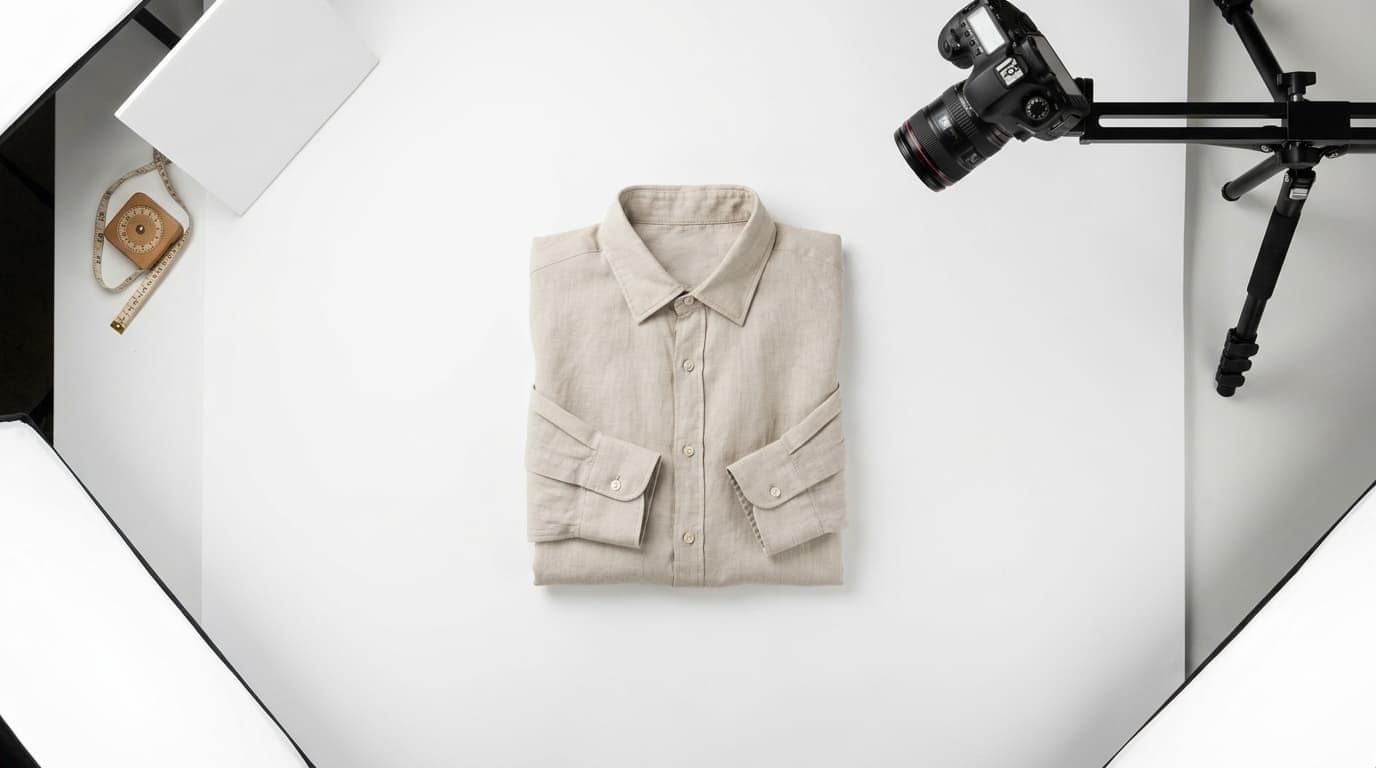
Flat lay clothing photography - also called flat lay apparel photography, overhead garment photography, or knolling - is a product photography technique where garments are arranged on a flat surface and photographed from directly above at a 90-degree angle.
The camera looks straight down at the piece. Collar spread, sleeves arranged, hem straight. No body, no hanger, no support structure visible in the frame.
When flat lay clothing photography is the right choice:
- Small catalogs and solo sellers. Flat lay requires minimal equipment and no additional people. For a seller adding products regularly without a production infrastructure, it is the most practical format to sustain.
- Instagram and Pinterest content. Flat lay photographs well in square and portrait crops and suits lifestyle staging with props.
- Non-fit-critical items. Accessories, folded knitwear, children's pieces, and items where the primary concern is color and pattern rather than silhouette.
When it is the wrong choice:
- Fit-critical garments. Structured jackets, tailored trousers, fitted dresses - anything where the silhouette on a body is what customers are evaluating. A blazer laid flat tells a customer nothing about how it drapes on shoulders.
- Premium brands. Flat lay signals affordable and accessible. If your brand positioning is premium, flat lay photography undercuts it regardless of how well it is shot.
- Reducing returns. Fashion return rates run 24-26%, and poor fit visualization is the primary driver. Flat lay gives customers no information about garment fit. If return reduction is a business priority, flat lay is part of the problem.
The honest summary: flat lay is a practical starting point and the right format for the right products. It is not a long-term conversion strategy for most clothing categories.
Equipment You Actually Need (By Budget)
There are three realistic tiers for a flat lay clothing photography setup. Most sellers do not need the most expensive one.
Phone-Only Setup ($0-$100)
- Smartphone with a decent rear camera (iPhone 12 or equivalent Android - any recent flagship works)
- Natural light from a large window - north-facing preferred for even, diffused light
- White foam board ($5-$10) as a reflector to fill shadows on the opposite side
- White seamless poster board or foam board as a shooting surface ($5-$10)
- Clip or painter's tape to keep the surface flat and in place
The phone-only setup produces publish-ready results when lighting is right. Natural window light is genuinely competitive with a two-softbox setup for flat lay specifically, because flat lay photography requires even, shadowless illumination - the same quality diffused window light provides naturally.
The real limitation is consistency. Natural light shifts throughout the day and across sessions. If catalog consistency matters (and for any brand it does), controlled artificial light gives you more repeatable results.
Starter Kit ($200-$500)
- DSLR or mirrorless camera with a 35-50mm equivalent lens ($300-$600, used is fine)
- Tripod with horizontal extension arm ($80-$150) - the single most useful piece of equipment for flat lay clothing photography
- Two softbox lights, 24-inch minimum ($100-$200 for a two-light kit)
- White seamless paper backdrop, 2m wide ($30-$80)
- Backdrop stand ($50-$100) or wall-mounted rod
The starter kit is where consistency becomes achievable. A fixed camera position on a horizontal arm, combined with controlled artificial lighting, means your product images match across sessions and across your catalog. If you are building a production workflow for fashion product photography and processing more than 20 garments per week, start here.
Pro Setup ($800-$2,000)
- Full-frame mirrorless or DSLR ($1,000-$2,000)
- Dedicated overhead photo rig or copy stand ($200-$600)
- Strobe lighting with softboxes ($400-$1,000)
- Color-calibrated backdrop and X-Rite color checker
- Tethering cable for live preview
Be honest about whether you need this tier. The quality ceiling on a full-frame camera versus a crop-sensor camera shooting flat lay clothing photos is measurable in test charts and invisible in product listings at standard ecommerce sizes. This investment makes sense for high-volume in-house production teams. For most ecommerce sellers, the starter kit delivers indistinguishable results.
Step 1: The Setup (Background, Surface, Camera Position)
Background choices signal brand positioning before a customer reads a word:
- White seamless paper - the standard for ecommerce marketplaces. Clean, distraction-free, consistent with Amazon, Etsy, and Shopify listing conventions. Keeps the focus on the garment.
- Light gray - slightly softer than pure white. Works well for brands that find white clinical.
- Linen or natural textile - signals artisan, handmade, premium-casual. Strong on Etsy; inconsistent with marketplace requirements.
- Marble tile or stone - signals luxury. Works for accessories and small pieces; visually awkward for full garments.
- Colored cardstock - appropriate for seasonal and campaign content, not for core catalog photography where consistency across listings is the goal.
The shooting surface must be perfectly flat. This is the most commonly missed detail in flat lay clothing photography. Any surface irregularity - a slight bow in foam board, a crease in seamless paper - will appear in your images and require editing time to fix. Tape down your surface, use a fresh piece of paper if you see creases, and check before every session.
Camera position is 90 degrees - not "nearly overhead." A 5-degree tilt introduces perspective distortion that makes one side of the garment appear larger than the other. A tripod with a horizontal extension arm locks in a true overhead angle and keeps it consistent across every garment in a session. If you do not have one, a DIY stack of books works in a pinch - but it introduces camera stability risk.
Framing consistency: frame the garment with equal margins on all four sides and do not change your camera distance mid-session. Inconsistent framing across a catalog - one shirt filling 90% of the frame, the next with wide margins - signals rushed production even when individual images look fine.
Step 2: Lighting a Flat Lay
Flat lay clothing photography requires even, shadow-free illumination across the entire garment. Shadows are the primary visual problem: they create false texture, distort garment color, and make editing slower.
Natural light:
- Position your shooting surface at a 90-degree angle to the window - perpendicular to the light source, not facing it
- Use a sheer curtain or diffusion paper to soften direct sunlight; hard light creates sharp shadows across garment folds
- Place a white foam board on the opposite side of the garment from the window to reflect light and fill the shadow side
- Shoot in consistent light conditions - a session that starts at 10am and ends at 2pm will show color temperature variation across images
Artificial light (two softboxes):
- Position both softboxes at 45-degree angles to the garment, one on each side, at the same height
- Set both lights to equal power output - a small imbalance makes one side of the garment visibly darker
- Set white balance manually and do not change it mid-session. Consistent WB means consistent color across your catalog
- Check for hot spots by zooming in on the center of the garment; a bright overexposed area means your lights are too close or too powerful
Important warning: overhead ceiling lights illuminate from above. For flat lay photography with a camera mounted directly overhead, ceiling lights cast shadows from your tripod, extension arm, and your own body onto the shooting surface. Turn ceiling lights off during flat lay sessions and use only your dedicated softboxes or window light.
Step 3: Styling the Garment
This is where most flat lays fail. A garment laid flat looks flat - like fabric on a table, not like a product someone would wear. Good flat lay apparel photography requires styling that suggests dimension without introducing distractions.
Steam every garment before you shoot. Wrinkles in the source photo carry through to the final image. Fixing them in post takes longer than steaming the garment did. A garment steamer ($30-$80) is worth the investment if you are processing more than ten pieces.
Use tissue paper or folded cloth to give the garment volume. Tuck a small amount of tissue paper or bubble wrap inside the torso to lift the garment slightly off the surface. Not stuffed - just enough to break the completely flat silhouette and suggest a body inside.
Arrange by garment type:
- T-shirts and casual tops: fold both sleeves back slightly at the elbow at a natural angle. Smooth the collar flat or show the neck opening naturally for crew and V-neck styles.
- Button-front shirts: button all buttons. Arrange the collar to sit as it would on a body. Sleeves at a slight outward angle.
- Dresses: spread the full garment. Show the skirt at its widest to convey the silhouette. Fan the hem slightly for a-line and full styles.
- Jeans and trousers: lay flat with one leg bent slightly at the knee to suggest movement. Straighten the waistband and keep the front pockets flat.
- Knits and sweaters: arrange carefully - knits bunch easily. Show the neckline clearly. Fold one cuff back slightly to show sleeve length and fabric texture.
Shoot the clean version first, styled version second. The clean shot - garment only, no props - is your product listing image. The styled shot with props or accessories is for social posts and campaign content. If time is limited, the clean version is the priority.
Step 4: Shooting and Editing
Camera settings for flat lay clothing photography:
- Aperture: f/8-f/11. The entire garment needs to be in focus. A wide aperture creates depth-of-field blur that works in portrait photography and looks like a focus error in product photos.
- ISO: as low as your camera supports cleanly - ISO 100-200 for most cameras. Low ISO minimizes noise on flat backgrounds.
- Shutter speed: determined by your available light. Shoot in manual mode and dial exposure until the background reaches pure white without clipping garment highlights.
- Format: RAW. RAW preserves editing latitude for white balance, exposure, and color corrections in post that JPEG does not.
Quick edit workflow:
- White balance correction - match to a reference image from the same session
- Exposure adjustment - background to pure white, garment highlights intact
- Crop to consistent aspect ratio - 1:1 for most marketplaces, 4:5 for Instagram, 3:4 for standard Shopify product pages
- Background removal if needed - for clean white or transparent PNG exports, FuturMotion's AI background removal for fashion handles fabric edges with accuracy that general-purpose background removers consistently miss
- Export at 2,000-2,500px on the long edge to meet marketplace zoom requirements
Shoot in RAW and export to JPEG at 90-95% quality for web. Maintain an archive of your RAW files - you will reprocess them when your catalog standards evolve.
Flat Lay Mistakes That Kill Conversions
1. Wrinkles or lint. The single most common error. Check every image at 100% zoom before moving the garment. Steam first, check before shooting.
2. Inconsistent backgrounds across your catalog. Five slightly different shades of white look fine in isolation and amateur as a product grid. Same surface, same lights, same white balance setting - every session.
3. No dimension - the garment is too flat. Flat lay clothing photography that looks like a garment on a table is not doing the job. Internal structure and deliberate sleeve arrangement break the two-dimensional silhouette.
4. Crooked overhead angle. Any tilt introduces visible distortion. Check that your camera is level before every session. A crooked grid of product photos undermines garment quality regardless of how good the garments are.
5. Uneven lighting. One side of the garment darker than the other means one softbox is closer or brighter. Equal distance, equal power, check before shooting.
6. Wrong aspect ratio for your platform. Etsy, Shopify, Amazon, and Instagram have different recommended aspect ratios. Know your target platform before you crop - cutting off a sleeve edge because you guessed the ratio wrong is a reshooting problem.
The Conversion Trap - And How AI Fixes It
Here is the honest reality about flat lay clothing photography in ecommerce: it converts worse than on-model photos, and the gap is significant.
On-model photos convert 20-30% better than flat lay. Click-through rates run 25-35% higher. Returns drop 15-25% when customers can see how a garment fits and drapes on a body. The 24-26% return rate in fashion ecommerce is driven primarily by fit uncertainty - and flat lay gives customers almost no information about fit.
The traditional solution is a professional on-model shoot. The traditional problem is the cost: $5,000-$20,000 per collection for a photographer, model, creative direction, and post-production. That number is not accessible for most sellers, and for a brand refreshing a catalog regularly, it compounds every season.
Ghost mannequin photography is the middle ground - it shows garment shape without a model or that kind of budget. If you are considering that path, our ghost mannequin services comparison covers every option with real costs and tradeoffs.
The more recent development is AI that converts flat lays directly into on-model imagery - from the same photos you are already shooting.
FuturMotion's fashion photography platform is built specifically for this use case. You upload a flat-lay photo and get a professional on-model image in under 60 seconds. No model, no mannequin, no studio, no Photoshop. The AI is trained on clothing specifically, which is why fabric-aware motion and accurate garment drape come through in the output - not the distorted results you get from generic image tools applied to clothing.
What FuturMotion produces from a flat-lay input:
- Virtual Try-On - the garment shown on an AI-generated model with realistic fabric drape and body proportions
- Living Motion video - a loop-ready animated video showing fabric movement, suitable for Reels, TikTok, and Shorts
- FrameSync - consistent model rendering across multiple garments so your product grid looks cohesive
- AI Image Edit - targeted post-processing without restarting the workflow
Pricing: $25/month (Basic, 2,000 credits), $49/month (Creator, 5,000 credits), $199/month (Studio, 25,000 credits). Effective cost at the Creator tier runs approximately $0.50 per image - compared to $50-$200 per SKU for a professional on-model shoot.
The flat-lay-to-on-model workflow removes the either/or between cheap photography and converting photography. You shoot the flat lay. The AI handles the presentation upgrade. For sellers already invested in a flat lay setup, the entry point is exactly this scenario.
If you want to understand the ghost mannequin alternative specifically - how AI compares to traditional ghost mannequin techniques - that page covers the full comparison.
Flat Lay Upgrade Paths Compared
| Method | Cost Per SKU | Time | Skill Needed | Quality | Conversion Lift vs. Flat Lay |
|---|---|---|---|---|---|
| Flat lay only | <$1 (DIY) | 5-15 min/garment | Low | Functional | Baseline |
| Ghost mannequin (DIY Photoshop) | $2-$5 + equipment | 30-90 min/garment | High | Good - shows shape, not fit | ~10-15% |
| On-model shoot (photographer + model) | $50-$200/SKU | Days (scheduling, travel, edit) | None (outsourced) | Best - shows real fit | +20-30% |
| AI flat-lay-to-on-model (FuturMotion) | ~$0.50 | Under 60 seconds | None | On-model quality | +20-30% |
For a full breakdown of ghost mannequin options across services, apps, and AI tools, see our 2026 ghost mannequin services comparison.
Frequently Asked Questions
What is flat lay clothing photography?
Flat lay clothing photography is a product photography technique where garments are arranged flat on a surface and photographed from directly overhead at a 90-degree angle. The camera points straight down at the piece - no model, hanger, or mannequin in the frame. It is also called overhead garment photography, flat lay apparel photography, or knolling. The technique is widely used in ecommerce because it requires minimal equipment and no model. Its primary limitation is that it shows color and basic shape but does not convey how clothing fits or drapes on a body, which affects conversion rates for fit-critical garments.
What equipment do I need for flat lay clothing photography?
The minimum viable setup is a smartphone, a clean white surface, and natural window light with a foam board reflector - total cost under $20. For a repeatable production workflow, the most important addition is a tripod with a horizontal extension arm ($80-$150), which locks in a true overhead camera position consistently. A two-softbox lighting kit ($100-$200) adds control over lighting consistency across sessions. A full DSLR or mirrorless starter kit runs $400-$700 and is worth the investment if you are processing more than 20 garments per week. Most sellers do not need the professional full-frame setup - the quality difference is not visible at standard listing sizes.
What is the best camera angle for flat lay clothing photos?
Exactly 90 degrees - camera parallel to the shooting surface, pointed straight down. Any deviation introduces perspective distortion, making one side of the garment appear larger than the other. On a tripod with a horizontal extension arm, a true overhead angle is easy to achieve and lock in consistently. Check that your camera is level before every session. "Nearly overhead" is not the same as overhead, and the distortion is visible across a product grid even if individual images look acceptable.
How do I light a flat lay clothing photo?
The goal is even, shadow-free illumination. With natural light, position the shooting surface perpendicular to the window, diffuse the light through a sheer curtain, and use a white foam board as a fill reflector on the opposite side. With artificial light, use two softboxes at 45-degree angles at equal height and equal power on both sides of the garment. In both cases, turn overhead ceiling lights off - they cast shadows from your camera rig and body onto the shooting surface. Set white balance manually and do not change it mid-session. Consistent white balance is what keeps colors matching across your catalog.
Flat lay vs on-model - which converts better?
On-model photos convert 20-30% better than flat lay, with click-through rates 25-35% higher and returns 15-25% lower. The reason is straightforward: customers evaluating clothing online need to see how a garment fits and drapes on a body. Flat lay shows color, print, and basic construction, but gives no information about fit. For fit-critical garments - jackets, fitted dresses, structured trousers - flat lay is a conversion problem that compounds over time as you accumulate returns from customers who could not judge the fit from the photo. Ghost mannequin and on-model alternatives address this directly.
Can I shoot flat lay clothing with a phone?
Yes. Current flagship smartphones produce images that meet ecommerce platform requirements for product photos at a fraction of the cost of a dedicated camera. The key variable is lighting, not the camera. A smartphone in good natural window light or under consistent softboxes produces results that are indistinguishable from a DSLR at standard listing sizes. The phone's practical limitation is consistency: without a fixed tripod position, framing varies between shots and sessions. A phone mount or mini tripod ($15-$25) that holds a fixed camera position solves most of that problem.
What background is best for flat lay clothing photography?
White seamless paper is the default for ecommerce because it is required or recommended by Amazon, Etsy, and most major marketplaces, and it keeps the focus entirely on the garment. Light gray is a softer alternative that still meets marketplace standards. Textured surfaces - linen, marble, wood - are appropriate for lifestyle and social content but inconsistent for catalog photography, where the background competes with the product for visual attention. Whatever background you choose, use it consistently across your entire catalog. Mixed backgrounds in a product grid signal amateur production even when individual images are well shot.
Can AI turn my flat lay photos into on-model shots?
Yes. Purpose-built fashion AI tools convert flat-lay photographs into on-model product images without a model, mannequin, or studio. FuturMotion takes a flat-lay upload and produces an on-model image in under 60 seconds, with accurate fabric drape preserved because the model is trained on clothing specifically - not generic imagery. The output achieves the same 20-30% conversion lift over flat lay that a professional on-model shoot delivers, at approximately $0.50 per image rather than $50-$200 per SKU. The same upload also generates a Living Motion video for Reels and TikTok, from photography you are already shooting. See FuturMotion's ghost mannequin alternative for more on how the flat-lay-to-on-model workflow operates.
Your Next Step
Flat lay clothing photography is a solid starting point. When the setup, lighting, and styling fundamentals are right, it produces clean, professional product images without a model or an expensive studio.
The longer-term question is what comes after flat lay. On-model presentation converts 20-30% better, and that gap compounds over time in lower click-through rates, higher returns, and lost repeat purchases. Professional on-model shoots remain expensive. Ghost mannequin is a strong middle ground for fit visualization; if that route interests you, our ghost mannequin alternative page covers how AI handles that workflow end to end.
If you are already shooting flat lays and want to see what AI on-model images look like from your existing photos, FuturMotion offers a free trial. Upload a flat lay and see the result in under a minute.
Related Articles
Read our other article
Dive into more guides to help you grow
May 28, 2026How to Photograph Clothes to Sell Online (2026 Guide)
Compare all 4 clothing photography methods by budget and skill - flat lay, ghost mannequin, on-model, and AI - and find the right approach for your catalog.
 May 4, 2026
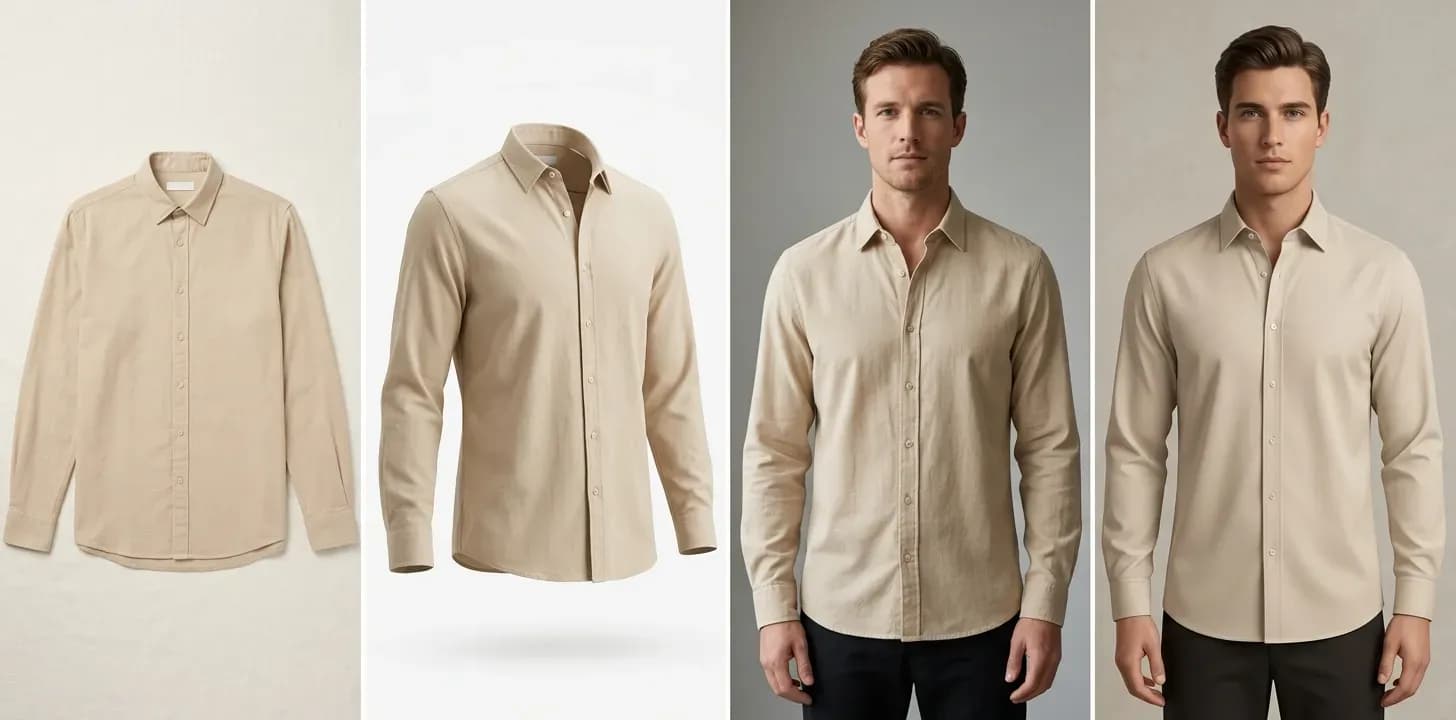
Flat Lay vs. On-Model Photos: Which Actually Converts Better?
The conversion data behind flat lay vs. on-model photography-costs, tradeoffs, and the middle-ground options that close the gap without a $10K shoot.
 Apr 22, 2026
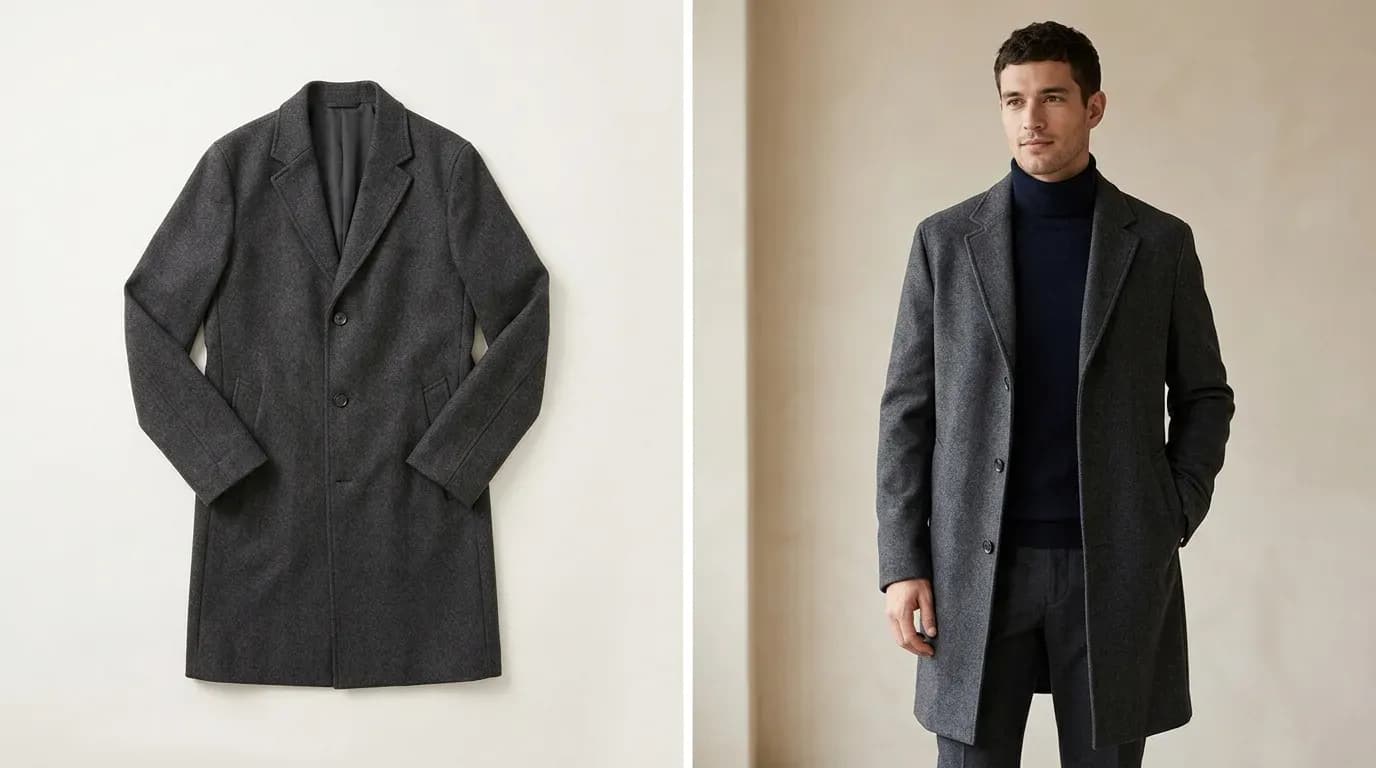
AI Ghost Mannequin: How to Create the Effect in Seconds (No Photoshop)
Learn how AI ghost mannequin tools work, step by step - what the AI reconstructs, which garments it handles best, and where it still has limits.