Back
Back April 20, 2026
Ghost Mannequin Effect: The Complete Guide for Clothing Brands
What Is the Ghost Mannequin Effect? The Complete Guide for Clothing Brands
If you sell clothing online, you've seen the ghost mannequin effect - even if you didn't know what it was called. It's the technique behind those clean, "hollow" product photos where a garment appears to float in 3D space, showing its shape, fit, and structure without a model or mannequin in the frame.
This guide breaks down exactly what the ghost mannequin effect is, why it matters for your conversion rates, how the traditional method works, what outsourcing actually costs, and how AI is changing the math entirely. Whether you're a Shopify seller shooting your first collection or a brand scaling past 500 SKUs, this is the one guide you need.
What Is the Ghost Mannequin Effect?
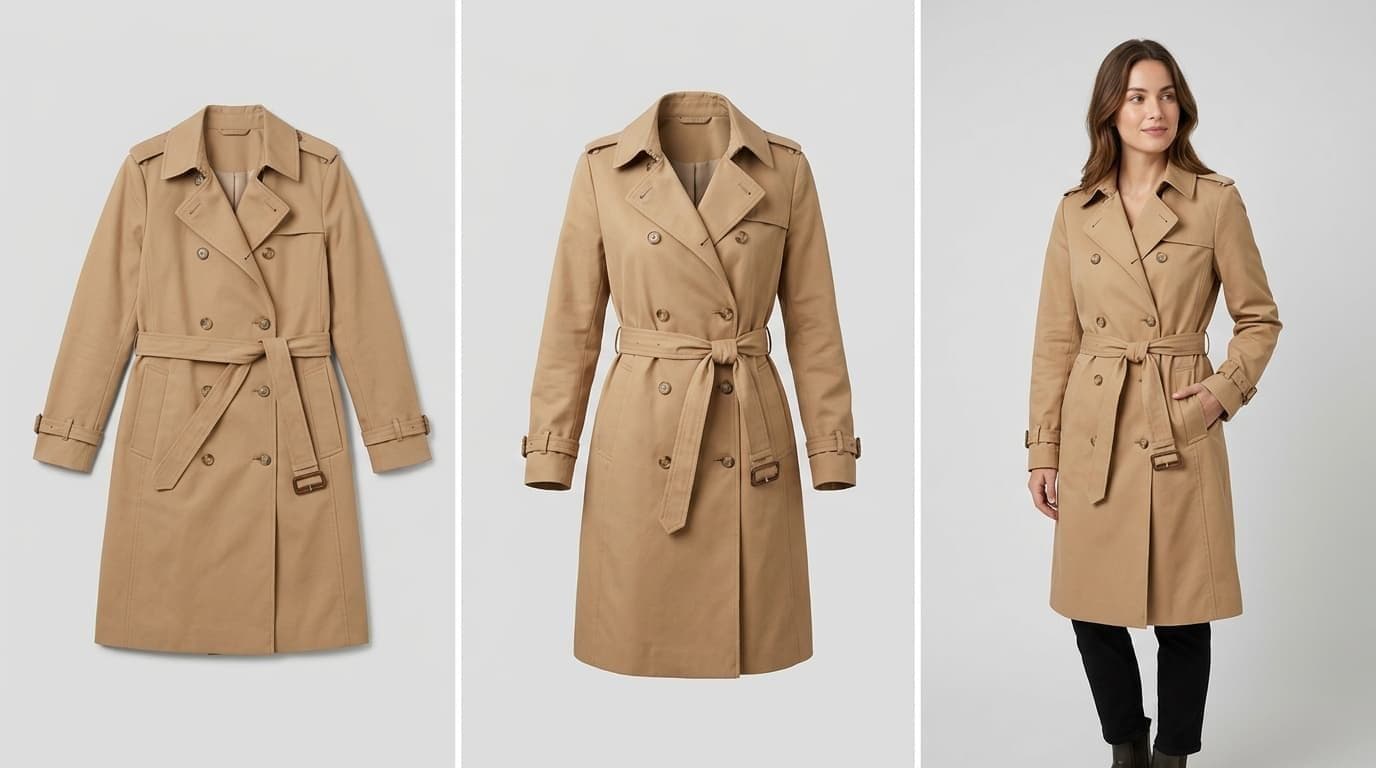
The ghost mannequin effect - also called the invisible mannequin effect or invisible mannequin technique - is a photography and post-production method that makes a garment look like it's being worn by an invisible person.
Here's how it works at a high level: you photograph the garment on a mannequin, then digitally remove the mannequin in post-production. The result is a 3D, "hollow" look that shows the garment's neckline, sleeves, collar, and overall shape - without any visible support.
The technique exists because clothing brands face a fundamental tension: flat-lay photos are cheap but don't show fit. On-model photos show fit but cost thousands. Ghost mannequin photography is the middle ground. It gives customers the 3D shape and structure they need to judge fit, without the cost of hiring models, makeup artists, and creative directors.
You'll see the ghost mannequin effect across every major marketplace and fashion retailer - Amazon, ASOS, Zara, H&M. It's become the standard for clothing product photography because it:
- Shows garment shape and fit in a way flat lays simply can't
- Creates visual consistency across your entire catalog
- Reduces "what does it look like on?" questions from customers
- Looks professional without the $5,000-$20,000 price tag of an on-model shoot
Why Clothing Brands Use Ghost Mannequin Photography
The numbers tell the story. On-model and 3D product photos convert 20-30% better than flat lays, with click-through rates 25-35% higher. Returns drop 15-25% when customers can accurately judge how a garment fits and drapes.
That last point matters more than most sellers realize. Fashion return rates run 24-26%, and roughly 67% of those returns are driven by fit and sizing issues. Every product photo that fails to show how a garment actually looks on a body is a return waiting to happen.
But here's the trap most clothing brands fall into:
- Flat lay is cheap - you can shoot it yourself with a phone and a white background. But it doesn't show fit, drape, or structure. Customers can't tell how a shirt hangs or how a dress flows. Conversions suffer.
- On-model photography converts better - but a professional shoot runs $500-$3,000 per day, and a full collection costs $5,000-$20,000. One Etsy seller shared that they spent $12,347 on a professional shoot for roughly 40 pieces and actually saw worse conversion - from 3.2% to 2.7% - because the models didn't resonate with their audience.
- Ghost mannequin is the sweet spot - it delivers the 3D, "worn" look at a fraction of the cost. No model fees, no creative direction headaches, and every garment looks consistent.
That's why ghost mannequin for ecommerce has become the default approach for brands at every scale. The question isn't whether to use it - it's which method to use.
How to Create the Ghost Mannequin Effect: The Traditional Method
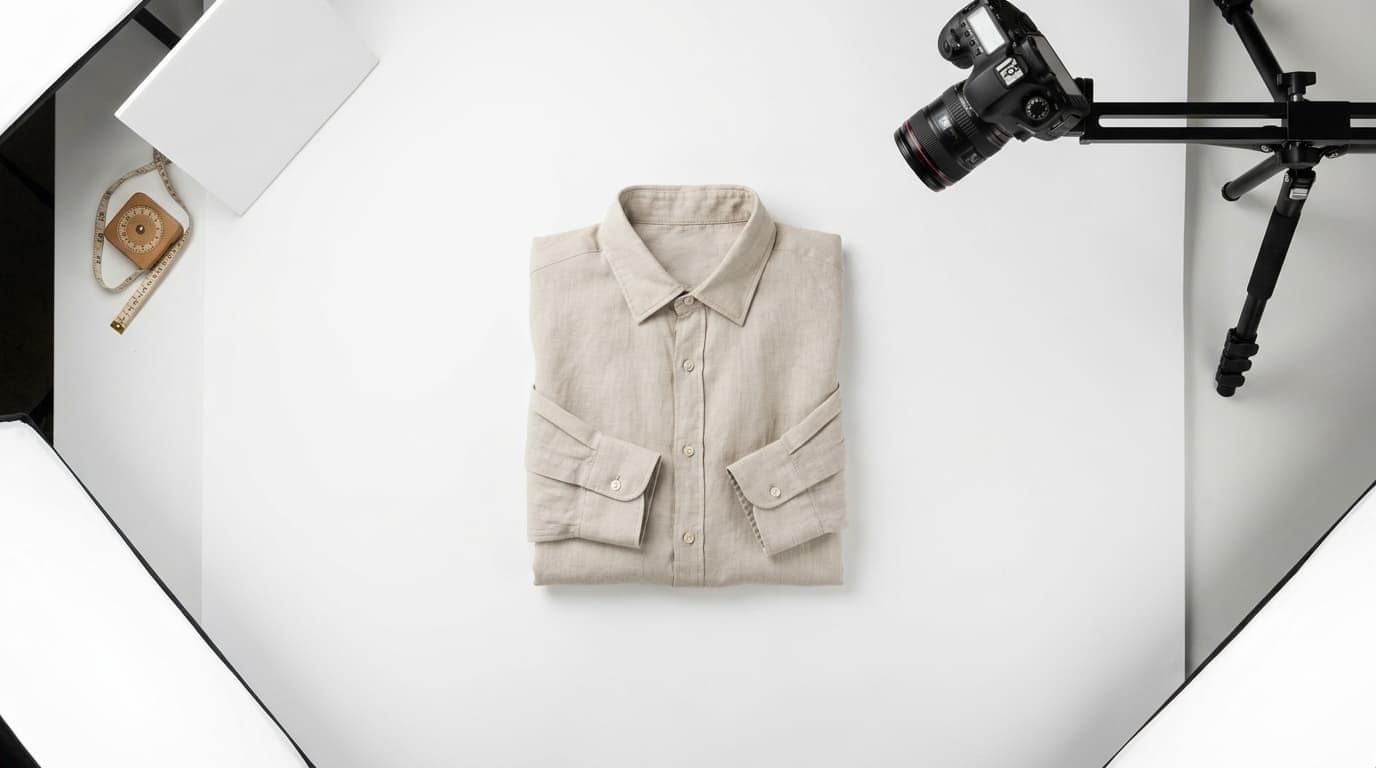
The traditional ghost mannequin effect requires two things: a physical mannequin and solid Photoshop skills. Here's the actual process, step by step.
Equipment You'll Need
- A mannequin appropriate for your garments ($150-$500)
- Camera and tripod
- Consistent lighting setup (two softboxes minimum)
- Pins, clips, and tape for garment fitting
- Adobe Photoshop
- A steamer (wrinkles are your enemy)
Step-by-Step Process
- Dress the mannequin. Pin or clip the garment so it sits naturally. The better the fit on the mannequin, the less editing later.
- Photograph the front. Shoot the garment on the mannequin against a white or neutral background. Keep your camera angle consistent across all garments.
- Photograph the interior. Remove the garment, turn it inside out (or partially), and photograph the inside of the neckline, collar, and interior seams. This is the "plate" you'll composite later.
- Composite in Photoshop. This is where it gets hard. You need to:
- Cut out the mannequin from the front shot using the Pen tool or Select and Mask
- Align the interior shot to fill in the neck, collar, and any visible interior areas
- Blend the edges so the join looks seamless
- Clean up shadows and adjust the overall shape
- Fix the neck join. This is universally the hardest part. As sellers in online communities constantly mention: "the neck joint always looks fake" and "I spent hours on one shirt and it still looked off." Getting a natural-looking neck transition takes practice - lots of it.
- Final cleanup. Adjust color, remove stray threads, correct any warping, and export.
Honest Time Assessment
A skilled editor can complete one garment in 20-30 minutes. If you're learning, expect 45 minutes to over an hour per garment - and your first dozen will likely need redoing. Ghost mannequin Photoshop work is genuinely harder than most YouTube tutorials suggest.
For a 50-SKU collection, that's 17-25 hours of editing for an experienced editor, or 40+ hours if you're learning. And that's before you factor in shooting time.
Outsourcing Ghost Mannequin Editing
If you don't have Photoshop skills - and most clothing sellers don't - outsourcing is the next logical step. Here's what to expect.
What Outsourcing Costs
- Full-service ghost mannequin photography (shooting + editing): $15-$50 per SKU
- Editing only (you provide the raw shots): $0.89-$3.00 per image
- Turnaround: Typically 24-48 hours, though rush orders cost more
The Real Limitations
Outsourcing solves the skill gap, but it introduces new problems:
- Quality varies wildly. Budget services often produce visible artifacts, unnatural shadows, and awkward neck joins. You get what you pay for, and checking every image takes time.
- Turnaround slows your launches. If you're dropping new products weekly, a 24-48 hour editing queue adds friction.
- It doesn't scale. At $15-$50/SKU for a brand refreshing 200+ products per season, you're looking at $3,000-$10,000 per season just for ghost mannequin editing. And that's editing only - you still need to shoot everything on a physical mannequin.
- Communication overhead. Revisions, style guides, feedback rounds - it adds up, especially with offshore editing teams.
For brands doing fewer than 20 SKUs per quarter, outsourcing can work. Beyond that, the costs and coordination overhead start competing with better alternatives.
The AI Alternative: Ghost Mannequin Without a Mannequin
Here's where the math changes completely.
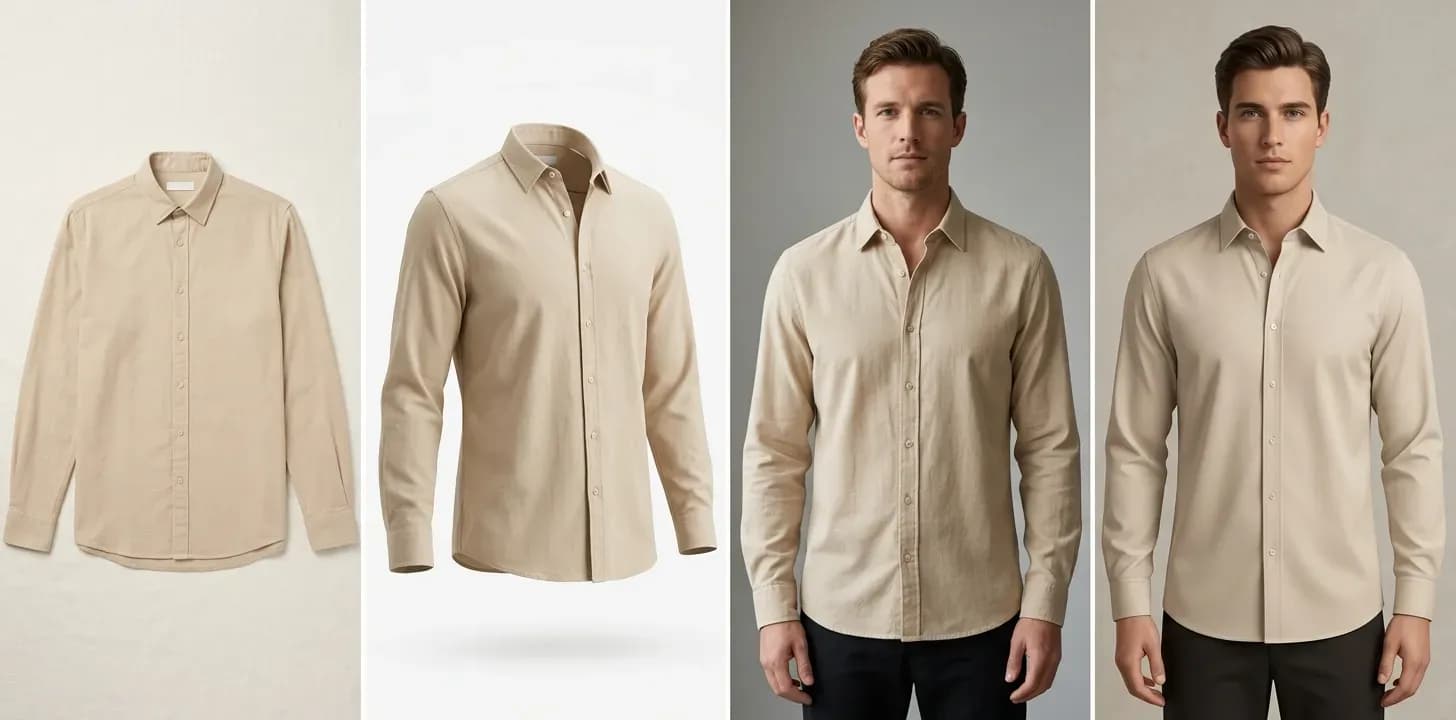
AI tools can now generate the ghost mannequin effect - and go well beyond it - from a single flat-lay photo. No mannequin, no studio setup, no Photoshop compositing. You upload a flat-lay image, and the AI produces on-model or 3D product photos in under 60 seconds.
This isn't generic AI image generation. Purpose-built fashion AI handles the specific challenges that make clothing photography hard: fabric drape, garment structure, accurate collar and neckline rendering, and natural shadow placement. These are the exact details that trip up both DIY editors and generic image tools.
FuturMotion is built specifically for this use case. It's an AI platform designed for fashion brands that transforms flat-lay photos into on-model imagery and video. Here's what it actually does:
- Upload a flat-lay photo of any garment
- Get on-model photos showing the garment as if worn by a real person - with accurate fabric drape, natural body proportions, and consistent lighting
- Generate Living Motion video - your product photo becomes a short video showing fabric movement, which drives significantly higher engagement
- Virtual Try-On - show the same garment on different body types and in different settings
- AI background removal - clean, marketplace-ready backgrounds without manual masking
The key difference: traditional ghost mannequin gives you a hollow 3D shape. AI gives you that and on-model presentation, video content, and virtual try-on - all from the same flat-lay photo you're already shooting.
Cost: From $0.50 per image, compared to $15-$50/SKU for outsourced ghost mannequin work. For a 200-SKU catalog, that's the difference between $100 and $3,000-$10,000.
Over 500 fashion brands already use FuturMotion to skip the mannequin-and-Photoshop workflow entirely.
Ghost Mannequin Methods Compared
| Traditional (DIY) | Outsourced | AI (FuturMotion) | |
|---|---|---|---|
| Cost / image | $2-$5 | $15-$50/SKU or $0.89-$3/img | From $0.50 |
| Time / image | 20-45 min | 24-48 hr turnaround | Under 60 sec |
| Equipment | Mannequin, camera, lights, Photoshop | Camera (editing-only services) | Phone camera |
| Skill | Advanced Photoshop | Minimal | None |
| Scales to catalog? | Poor | Moderate | High |
| Quality | Depends on you | Varies by provider | Consistent, fabric-aware |
| Bonus outputs | Static only | Static only | + video, on-model, try-on |
For brands shooting fewer than 10 products and comfortable with Photoshop, the traditional method still works. For everyone else, the economics point clearly toward AI - especially when you factor in the additional content types (video, on-model, try-on) that FuturMotion's fashion tools generate from the same input.
Best Practices for Ghost Mannequin Results
Regardless of which method you choose, these fundamentals determine your output quality.
Garment Preparation
- Steam everything. Wrinkles in your source photo become wrinkles in your final image - no method fixes a badly prepared garment.
- Use the right mannequin size. A garment that's too loose or too tight on the mannequin looks wrong regardless of editing quality. If you're shooting for AI, lay the garment flat and smooth - no bunching or folding.
- Pin from behind. If using a mannequin, pin excess fabric at the back to create a clean front profile without visible clips.
Photography
- Lock your camera position. Use a tripod and don't move it between shots. Consistency across your catalog matters more than perfection on any single shot.
- Consistent lighting. Two softboxes at 45-degree angles is the baseline. Avoid harsh shadows - they create extra editing work with traditional methods and confuse AI models.
- Shoot at the same distance and angle for every garment. Your product grid should look uniform.
- White or light gray backgrounds work best for all methods - traditional compositing, outsourced editing, and AI processing.
For AI-Specific Workflows
- Flat lays should be truly flat. Smooth the garment completely, arrange sleeves and collars naturally, and make sure the full garment is visible in frame.
- Good lighting matters even for flat lays. Natural daylight or even softbox lighting gives AI the best input to work with.
- Shoot the front and back if you want both views in your final product listing.
Frequently Asked Questions
What is a ghost mannequin?
A ghost mannequin - also called an invisible mannequin - is both a photography technique and a type of mannequin used to create it. The mannequin itself is designed with removable parts (neck, arms, lower torso) so it can be more easily edited out of photos. The "ghost" part refers to the final result: the garment appears to float in space as if worn by an invisible body, showing its 3D shape without any visible support.
How do you do ghost mannequin photography?
Traditional ghost mannequin photography requires three steps: (1) photograph the garment on a mannequin, (2) photograph the garment interior separately, and (3) composite the two images in Photoshop, removing the mannequin and blending the interior shot to fill in the neck and collar area. The process takes 20-45 minutes per garment. Alternatively, AI tools like FuturMotion can generate the same 3D effect from a single flat-lay photo in under 60 seconds.
Can I do ghost mannequin editing without Photoshop?
Yes. While Photoshop has been the traditional tool for ghost mannequin compositing, AI-powered platforms now produce comparable or superior results without any manual editing. You upload a flat-lay photo and receive a finished, on-model or 3D product image. This eliminates the steepest learning curve in the traditional workflow.
How much does ghost mannequin photography cost?
Costs range widely by method. DIY runs $2-$5/image when you factor in equipment and time. Full-service outsourcing costs $15-$50/SKU. Editing-only services charge $0.89-$3.00/image. AI solutions like FuturMotion start from $0.50/image. For a 200-SKU catalog, the annual cost difference between outsourcing and AI can exceed $10,000.
Is ghost mannequin photography good for ecommerce?
Ghost mannequin for ecommerce is one of the most effective product photography methods for clothing. It shows garment shape and fit - the two factors that drive purchase decisions and reduce returns. Major marketplaces like Amazon actively recommend 3D product photos, and data shows they convert 20-30% better than flat lays. For any brand selling clothing online, some form of ghost mannequin or on-model presentation is essential.
What's the difference between ghost mannequin and invisible mannequin?
They're the same thing. "Ghost mannequin" and "invisible mannequin" refer to the identical technique - photographing a garment on a mannequin, then removing the mannequin in post-production to create a floating, 3D garment image. Some people use "invisible mannequin" to specifically refer to the removable-part mannequins designed for this technique, while "ghost mannequin effect" describes the final result.
Can AI replace ghost mannequin photography?
For most clothing brands, yes. AI tools purpose-built for fashion - like FuturMotion - can generate on-model and 3D product images from a simple flat-lay photo, skipping the mannequin, studio setup, and Photoshop editing entirely. The results preserve accurate fabric drape and garment structure. The main advantage over traditional ghost mannequin isn't just cost (from $0.50 vs. $15-$50/SKU) - it's that AI also produces video content, virtual try-on images, and clean backgrounds from the same source photo.
DIY ghost mannequin: is it worth learning?
If you sell fewer than 10 products and enjoy the editing process, DIY ghost mannequin can be a satisfying skill to build. But be realistic about the learning curve: most sellers underestimate the time investment. Budget 10-15 practice garments before your results look professional. For sellers at any meaningful scale - or anyone who'd rather spend time on product development and marketing - AI tools deliver better results for a fraction of the time and cost.
Your Next Step
You don't need to choose between bad flat-lay photos and expensive photo shoots. The ghost mannequin effect gives your customers the 3D, fit-forward product images they need to buy with confidence - and today, you don't even need a mannequin to create it.
Try FuturMotion free - upload a flat-lay photo and see AI-generated on-model results in under 60 seconds. No mannequin, no Photoshop, no waiting.
→ Get started at futurmotion.com/ghost-mannequin-alternative
Related Articles
Read our other article
Dive into more guides to help you grow
May 28, 2026How to Photograph Clothes to Sell Online (2026 Guide)
Compare all 4 clothing photography methods by budget and skill - flat lay, ghost mannequin, on-model, and AI - and find the right approach for your catalog.
 May 4, 2026
Flat Lay vs. On-Model Photos: Which Actually Converts Better?
The conversion data behind flat lay vs. on-model photography-costs, tradeoffs, and the middle-ground options that close the gap without a $10K shoot.
 Apr 28, 2026
Flat Lay Clothing Photography: Complete Setup Guide for Ecommerce
Set up flat lay clothing photography on any budget - gear, lighting, styling, and a practical path to upgrading flat lays into on-model shots with AI.