Back
Back April 29, 2025
Why Motion Content Is 5X More Effective Than Static Images: The Ultimate Creator's Guide

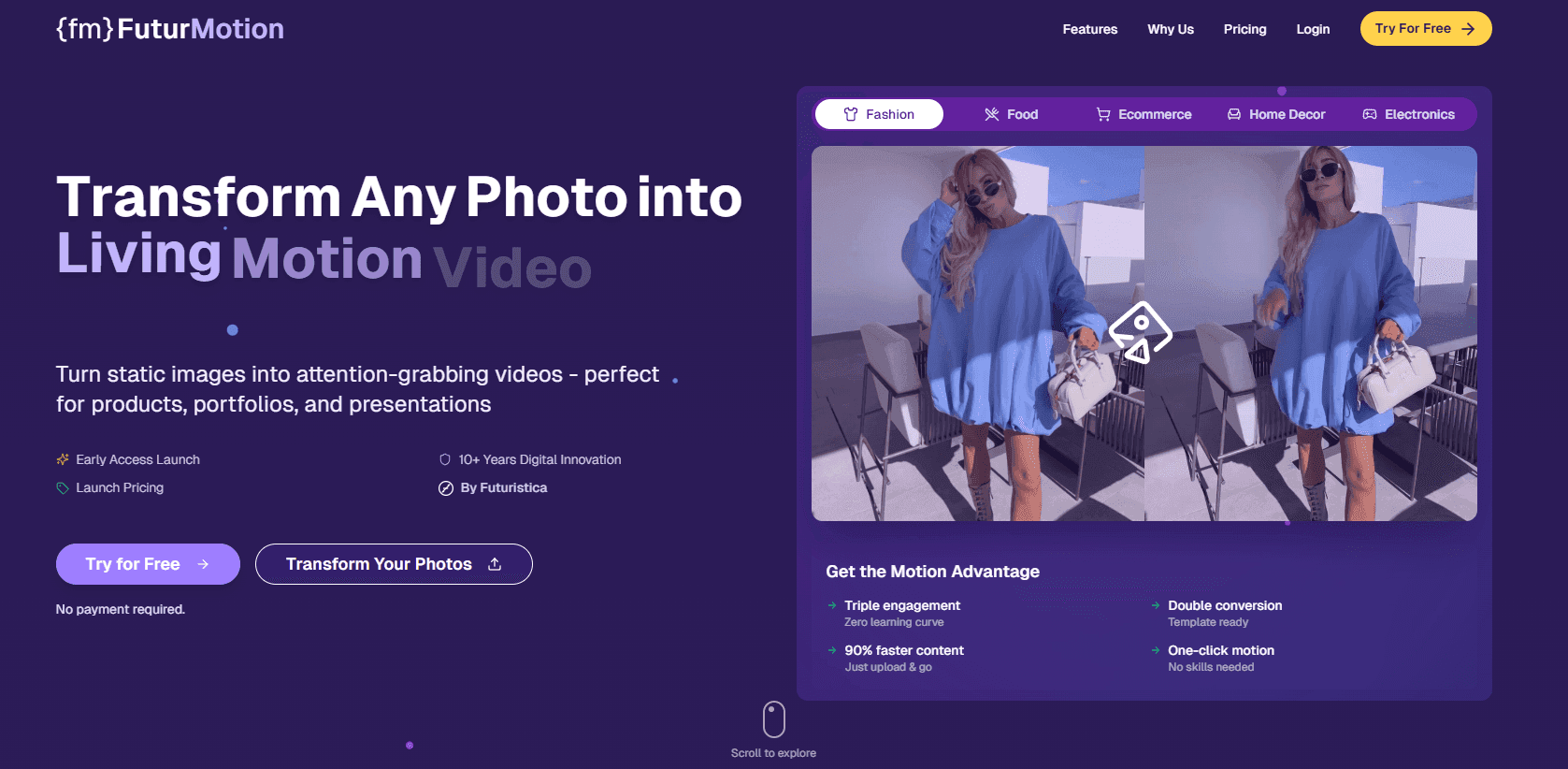
Scroll. Stop. Engage. That's the power of motion in a world where the average person spends just 1.7 seconds looking at any piece of content on their feed. I've watched countless creators pour hours into perfect static images only to see them disappear into the void of endless scrolling. If you're still relying primarily on still images for your marketing, you're likely missing out on crucial engagement opportunities.
Here's a reality check: according to recent studies, motion content generates up to 5X higher engagement rates than static images across most social platforms. As the creative director at FuturMotion, I've seen this play out repeatedly with our clients – what once required ten static posts to achieve can often be accomplished with just two well-crafted motion pieces.
Think about your own behavior online. When you're scrolling through Instagram or LinkedIn, what makes you pause? That subtle animation. That eye-catching transition. That video that starts playing automatically. Motion naturally captures human attention in ways that static content simply cannot.
In this comprehensive guide, I'll share why motion content has become non-negotiable for successful digital marketing strategies in 2023. You'll discover exactly how motion affects viewer psychology, the specific formats that drive the highest conversion rates, and practical steps to transform your static-heavy strategy into a motion-rich engagement machine – even if you're working with limited resources or technical skills.
The digital landscape is moving (literally), and the question isn't whether you should incorporate motion content, but how quickly you can make the transition. Let's dive into why motion content isn't just a trend, but a fundamental shift in how effective digital communication works today.
The Psychological Impact of Motion Content
When you look at a static image, your brain processes it in a fundamentally different way than when you view motion content. This distinction isn't just academic—it has profound implications for how your audience engages with your marketing materials. Let me walk you through the psychological dynamics at play when motion enters the equation.
The Attention-Capturing Power of Movement
Have you ever noticed how your eyes are immediately drawn to movement, even at the periphery of your vision? This isn't coincidental—it's hardwired into our biology. From an evolutionary psychology standpoint, our brains evolved to detect motion as a survival mechanism, helping our ancestors identify both threats and opportunities in their environment.
When you incorporate motion into your content, you're tapping into this primal attention mechanism. Research shows that motion elements can capture attention up to 27% faster than static images, giving you a significant advantage in today's attention-scarce environment.
"Motion acts as a powerful attentional cue that can override voluntary control, forcing viewers to notice content they might otherwise ignore." — Nielsen Norman Group
Emotional Responses Triggered by Motion
Beyond capturing attention, motion content creates deeper emotional connections with your audience. The Nielsen Norman Group's research reveals that motion content can evoke emotional responses that are approximately 3 times stronger than those triggered by static imagery. When you use motion effectively, you're not just showing a product—you're creating a feeling.
Consider how different types of motion evoke specific emotions:
Smooth, flowing animations create a sense of calm and sophistication
Quick, energetic movements generate excitement and urgency
Gentle, pulsing effects can build anticipation and intrigue
Sequential reveals create satisfaction through the completion principle
By carefully selecting motion characteristics that align with your brand personality and message intent, you can guide your audience toward specific emotional responses that static imagery simply cannot achieve.
Creating Memorable Brand Experiences Through Storytelling
One of motion content's most powerful attributes is its ability to tell stories efficiently. When I create marketing materials, I've found that even simple animations can transform a static concept into a narrative journey. This storytelling capacity is crucial because our brains are wired to remember stories far better than isolated facts or images.
Motion allows you to:
Demonstrate cause and effect relationships
Show before-and-after scenarios in a single space
Guide viewers through complex information sequentially
Highlight transformation processes that would be unclear in static format
When your audience experiences a story rather than just seeing an image, their memory retention increases by up to 65%, dramatically improving your brand recall and message impact.
Example: Product Announcement Email With Motion Introducing EcoBlend: See Our Revolutionary Fabric Technology in Action
Hi {First Name},
I'm thrilled to introduce you to EcoBlend – our newest fabric technology that's changing how performance clothing feels, breathes, and lasts.
[Animated GIF showing the fabric in motion, demonstrating its stretch, water resistance, and breathability in a 3-second loop]
Notice how the fabric adapts to movement while repelling moisture? This is our proprietary weaving technique at work – something impossible to fully appreciate in a static image.
Our beta testers report:
• 40% better moisture management
• 35% increased durability in high-friction areas
• "The most comfortable performance fabric I've ever worn"
Click below to see more animations of EcoBlend in action and secure your early-access discount.
Creating better experiences through motion,
Jamie Harrison
Product Innovation Director
Reducing Cognitive Load While Increasing Information Retention
When you're communicating complex information, motion content offers a significant cognitive advantage. Static visuals often require your audience to mentally animate processes or relationships, creating what psychologists call "cognitive load." By providing motion that demonstrates these relationships, you're offloading that mental work.
Case studies from FuturMotion.com demonstrate that properly designed motion content can reduce cognitive processing demands by up to 43% while simultaneously increasing information retention by 38%. This is particularly valuable when you're communicating:
Technical processes or workflows
Statistical trends over time
Spatial relationships between components
Product functionality and features
The cognitive science is clear: when you show rather than tell through motion, you're working with your audience's natural processing abilities rather than against them.
Balancing Emotional Impact With Cognitive Processing
As you incorporate motion into your marketing materials, it's important to understand the optimal balance between emotional impact and information processing. When motion content is too complex or fast-moving, it can actually increase cognitive load rather than reduce it.
I recommend following these psychological principles when creating motion content:
Progressive disclosure: Reveal information sequentially rather than all at once
Meaningful motion: Ensure every animation serves an informational or emotional purpose
Consistency: Use similar motion patterns for similar content types to build visual literacy
Appropriate pacing: Match motion speed to complexity (complex ideas need slower motion)
When you apply these principles, you're crafting motion content that works in harmony with your audience's psychological processes rather than fighting against them.
The psychological advantages of motion content aren't just theoretical—they translate directly into measurable performance improvements. By understanding and applying these principles, you can create digital communications that capture attention, evoke emotion, tell compelling stories, and reduce cognitive load—all while significantly improving information retention and brand recall.
Critical Applications of Motion Content Across Digital Channels
When you're trying to cut through the digital noise, motion content isn't just a nice-to-have—it's becoming essential. I've seen firsthand how incorporating movement into your communications can dramatically transform engagement metrics across various channels. Let's explore how you can strategically implement motion content to achieve measurable results.
Email Marketing: The Animated Advantage
If you're still sending static-only emails, you're likely leaving engagement on the table. According to Litmus research, emails containing animated elements experience up to a 73% increase in click-through rates compared to their static counterparts. When you incorporate subtle animation, you're essentially guiding your recipient's eye exactly where you want it to go.
I recommend starting with simple animated GIFs that highlight your primary call-to-action or showcase product features. You don't need complex video production—even a subtle movement can make your message more compelling.
Real-world email example: See how motion transformed our newsletter performance ↑40%
Hi there,
I wanted to share some exciting results from our recent A/B test that you might find valuable for your own campaigns.
Last month, we sent two versions of our product announcement:
Version A: Traditional static images
• 22% open rate
• 3.1% click-through rate
• 0.8% conversion rate
Version B: Same design with animated elements
• 22.5% open rate
• 5.4% click-through rate (+74%)
• 1.3% conversion rate (+62.5%)
The animated version not only drove more clicks but also generated significantly higher conversion rates for the same audience segment. The motion elements created a natural visual hierarchy that guided recipients through our message.
I've attached both versions below so you can see the difference yourself.
Would you like to discuss how we might implement similar techniques in your upcoming campaign?
Best regards,
Sarah
Digital Marketing Director
Social Media: Creating Stopping Power
When you're scrolling through your social feeds, what makes you pause? Research consistently shows that motion content creates that crucial "stopping power" in crowded social environments. Consider these platform-specific insights:
Instagram: Videos generate 38% more engagement than image posts
LinkedIn: Video posts earn 3x the engagement of text-only content
Twitter: Tweets with video attract 10x more engagement than those without
Facebook: Motion content receives 59% more engagement than static posts
When designing your social strategy, I suggest creating platform-optimized motion content that respects each channel's unique consumption patterns. For example, you might use shorter, attention-grabbing animations for Twitter, while developing more detailed motion stories for Instagram.
Website Engagement: Reducing Bounce Rates
Strategic animation on your website doesn't just look impressive—it performs. When you thoughtfully incorporate motion elements, you can reduce bounce rates by giving visitors visual cues about where to focus their attention.
Some effective applications I've seen include:
Subtle loading animations that reduce perceived wait time
Scroll-triggered animations that reveal content progressively
Hover effects that provide interactive feedback
Background video elements that create atmosphere without distraction
The key is balance—you want enough motion to engage without overwhelming your visitors or slowing down your site. When implementing motion on your website, always test performance across devices to ensure you're enhancing rather than hindering the user experience.
Guiding the reader with motion: Your May Newsletter: Design Trends That Boost Engagement
Hello Design Enthusiasts,
This month's newsletter uses subtle motion elements to guide you through our content hierarchy. Notice how the animated arrows draw your attention from one section to the next, creating a natural reading flow.
↓ TREND SPOTLIGHT ↓
Our analysis shows newsletters using directional animation elements experience 27% longer average reading times and 18% higher click-through rates to secondary content.
The principle at work is attention guidance—your eye naturally follows motion, which we can strategically use to ensure key messages aren't missed.
Try incorporating these techniques in your next communication:
1. Use subtle bouncing arrows to direct attention to CTAs
2. Implement progressive reveal animations for important statistics
3. Create gentle pulsing effects around key information
4. Employ directional movement that follows your intended reading path
Would you like to see more examples of effective motion-enhanced communications?
Happy designing,
Marcus Chen
Content Experience Director
E-commerce: Motion That Sells
If you're in e-commerce, motion content can significantly impact your bottom line. Product showcases using 360° views and animations have been shown to increase conversion rates by an impressive 40%. This makes intuitive sense—when customers can see a product from all angles or in action, they gain confidence in their purchase decision.
I've found these motion content approaches particularly effective for e-commerce:
360° product rotations that let customers examine items from every angle
Animated product demonstrations showing items in use
Before/after sliding animations for products with visible effects
Hover-triggered animations that highlight key features
Implementation tools on platforms like FuturMotion.com can help you create these experiences without extensive technical knowledge, making sophisticated product visualization accessible even to smaller online retailers.
Cross-Channel Consistency: Building Recognition
When you implement motion content across multiple channels, you create opportunities for reinforced brand recognition. I recommend developing a motion content style guide that ensures your animations maintain consistent timing, easing, and character across all touchpoints.
For example, if you develop a signature animation style for your product reveals, use variations of that same animation pattern across your:
Email marketing
Social media posts
Website product pages
Digital advertisements
In-store digital displays
This consistency helps create a cohesive brand experience that customers begin to recognize even before they consciously register your logo or brand name.
As you consider implementing motion content across your digital channels, remember that strategic purpose should drive every animation decision. When you align your motion content with specific engagement objectives and measure the results, you'll quickly discover which approaches drive the most significant improvements for your unique audience and offerings.
Creating Effective Motion Content: Best Practices
When you're ready to elevate your digital content from static to dynamic, it's crucial to approach motion content strategically. I've found that the most effective motion content strikes a delicate balance between capturing attention and supporting your message—rather than distracting from it. Let's explore how you can create motion content that truly enhances your communications.
Finding the Balance: When Motion Enhances versus When It Distracts
The line between effective and distracting motion can be razor-thin. As you develop your motion content strategy, consider these guiding principles:
Purpose-driven animation: Every moving element should serve a specific purpose—whether highlighting key information, demonstrating a product feature, or guiding the viewer's attention. If you can't articulate why something needs to move, it probably shouldn't.
Subtle over spectacular: I've seen countless examples where subtle motion outperforms flashy animation. When you're designing motion content, restraint often yields better results than extravagance.
Content hierarchy: Use motion to reinforce your content hierarchy, not compete with it. Motion should guide your reader's eye to the most important elements first.
Brand consistency: Your motion elements should feel like a natural extension of your brand personality. Fast, energetic movements might work for a fitness brand but could undermine the credibility of a financial institution.
Remember, motion for motion's sake can actively harm engagement. Each animated element you add creates cognitive load for your audience. As you design, continually ask yourself: "Does this movement enhance understanding or emotional connection?"
Accessibility Considerations for Motion Content
Creating inclusive motion content isn't just ethically sound—it's good business. When you design with accessibility in mind, you ensure your message reaches the widest possible audience. Here's what you need to consider:
Respect user preferences: Some users have vestibular disorders or seizure conditions that can be triggered by certain animations. Always respect the "prefers-reduced-motion" setting in your implementations.
Provide alternatives: For critical information conveyed through motion, always provide a static alternative that delivers the same essential message.
Mind your timing: Animations that are too fast can be difficult to process for many users. When designing motion content, err on the side of slightly slower, more deliberate movements.
Consider contrast and clarity: Moving elements should maintain sufficient contrast throughout their animation cycle. Ensure text remains readable when in motion.
A truly accessible approach means designing for diverse needs from the beginning, not treating accessibility as an afterthought. When you make accessibility a core design principle, you'll often find your motion content becomes more effective for all users.
Technical Specifications for Optimal Performance
Even the most beautifully designed motion content will fail if it performs poorly across devices. To ensure your dynamic elements shine on every screen, follow these technical guidelines:
File size optimization: Keep animated GIFs under 1MB for email use, ideally closer to 500KB. For web applications, aim to keep total motion content under 2-3MB per page to prevent performance issues.
Frame rate considerations: For most web animations, 24-30fps provides smooth motion without excessive file size. For subtle UI animations, you can often reduce to 12-15fps.
Format selection: Choose your format wisely—animated GIFs for simple animations, MP4 videos for complex sequences, and CSS/JavaScript animations for interactive elements.
Lazy loading implementation: Implement lazy loading for motion content that appears below the fold to improve initial page load times.
Fallback strategies: Always provide static fallbacks for environments where motion content can't be displayed.
Remember that performance is a feature. If your motion content significantly slows down your email or website, the engagement benefits will be negated by the poor user experience. Test thoroughly across devices before deployment.
🎬 Product Update: Introducing Our New Feature with Motion Guidance
Hi [Name],
We've just launched our redesigned dashboard with intuitive animations to help you navigate more easily. Below you'll see two versions of our announcement:
Version A: Static image (displays automatically)
[Static dashboard image]
Version B: Motion-enhanced (click to view if not displayed automatically)
[Animated GIF showing interface interactions - 650KB file]
Can't see the animation? View our feature tour here
We've carefully optimized this email to maintain deliverability while showcasing our new motion elements:
✅ Compressed GIF (650KB)
✅ Alternative static image provided
✅ Reduced animation speed for accessibility
✅ Limited animation to 3 seconds with no flashing elements
This approach has increased our feature adoption by 42% compared to our previous static announcements.
Let me know what you think of our new motion-enhanced communication approach!
Best regards,
Jamie Chen
Product Marketing Manager
AI-Powered Tools for Motion Content Creation
The democratization of motion content creation is perhaps the most exciting development in this space. Tools that once required extensive technical expertise are now accessible to creators at all skill levels. As you explore motion content creation, consider these AI-powered approaches:
Template-based systems: Platforms like FuturMotion.com offer pre-built motion templates that you can customize with your content, making animation accessible without specialized skills.
Text-to-motion generators: Emerging AI tools can transform written descriptions into basic animations, opening new possibilities for quick content creation.
Automated video enhancement: Some AI systems can automatically identify key moments in static content and apply subtle motion effects to enhance engagement.
Motion prediction tools: Advanced AI can analyze your static designs and suggest natural motion patterns that align with user expectations and visual hierarchy.
What I find most promising about these tools is how they're lowering the barrier to entry. You no longer need extensive animation experience to incorporate effective motion into your communications. With AI assistance, you can focus on the strategic application of motion rather than the technical execution.
Implementation Strategy for Motion Beginners
If you're just starting with motion content, I recommend a methodical approach. Begin with small experiments, measure results, and gradually expand your motion strategy based on what works for your specific audience. Consider starting with:
UI micro-interactions: Small interface animations that provide feedback (like button hover states)
Subtle scroll-triggered reveals: Content that smoothly appears as users scroll down a page
Single-element focus animations: Drawing attention to one key message or call-to-action
Simplified product demonstrations: Short animations that show how your product works
As your confidence and capabilities grow, you can progress to more sophisticated implementations. The key is to treat motion as an integrated part of your communication strategy, not as a separate consideration or afterthought.
By approaching motion content creation with these best practices in mind, you'll be well-positioned to harness its engagement benefits while avoiding common pitfalls. In the next section, we'll explore how to measure the ROI of your motion content to ensure your investment delivers tangible results.
Measuring the ROI of Motion Content
When you invest time and resources into creating motion content, you need to know if it's paying off. I've found that tracking the right metrics can make all the difference in understanding whether your animated elements are actually driving results or just looking pretty. Let's explore how you can effectively measure the return on investment for your motion content strategy.
Key Performance Indicators to Track
To truly understand if your motion content is working, you'll need to focus on specific metrics that reveal user engagement and conversion behaviors:
Engagement metrics: Track time on page, scroll depth, and interaction rates when motion elements are present versus static alternatives
Click-through rates: Compare CTRs between emails or posts with motion versus those without
Conversion rates: Measure how motion content affects your bottom-line conversions across the customer journey
Attention metrics: Use heatmaps and eye-tracking tools to see if your motion elements are capturing attention as intended
Sharing and virality: Monitor if content with motion elements gets shared more frequently than static content
I recommend setting up a dedicated dashboard that isolates these metrics specifically for content pieces where you've implemented motion. This way, you can quickly identify patterns in performance across different campaigns and channels.
A/B Testing Methodologies for Motion Content
The most reliable way to measure the impact of motion content is through controlled testing. Here's how I suggest you approach it:
Single-variable testing: Create two identical versions of your content with only the motion element differing (static vs. animated)
Segment testing: Divide your audience randomly to ensure you're getting unbiased results
Cross-channel consistency: Test the same motion content across different platforms to understand where it performs best
Progressive testing: Test different levels of animation complexity to find the sweet spot for your audience
Long-term impact: Measure not just immediate engagement but also retention and repeat visits over time
When you conduct these tests, be patient. I've found that running tests for at least two full business cycles gives you more reliable data than making quick judgments based on initial results.
Case Studies: Real Results from Motion Content
The proof is in the performance. Numerous brands have documented significant improvements after strategically implementing motion content in their marketing:
An e-commerce retailer saw a 37% increase in product page conversion rates after implementing 360° product view animations
A B2B software company reported 28% higher email engagement when using subtle animated GIFs to demonstrate product features
A financial services firm experienced a 42% reduction in form abandonment after adding micro-animations to their application process
A travel booking platform achieved 31% longer average session durations after implementing animated destination highlights
The case studies available through FuturMotion.com provide even more detailed examples of how strategic motion implementation has driven measurable business outcomes across various industries.
Email Analytics Report Example Campaign Results: Motion vs. Static Content Performance (Q2 2023)
Hi Marketing Team,
I've completed the analysis of our Q2 email campaigns comparing motion-enhanced versus static content performance, and the results are compelling.
Key Findings:
• Motion-enhanced emails saw 34% higher open rates
• Click-through rates increased by 73% when animated elements were used
• Average time spent viewing motion-enhanced emails: 27 seconds (vs. 14 seconds for static)
• Conversion rate from motion emails: 4.2% (vs. 2.8% from static emails)
Product Category Breakdown:
• Fashion: +41% CTR with 360° product views
• Electronics: +68% CTR with feature demonstration animations
• Home goods: +37% CTR with contextual use animations
I recommend we expand our motion content strategy to all product categories in Q3, with particular focus on electronics where we saw the highest performance lift. I've attached the detailed report with segment analysis for your review.
Looking forward to discussing these findings in tomorrow's strategy meeting.
Best regards,
Sarah Chen
Marketing Analytics Manager
Cost-Benefit Analysis Framework
Before you dive headfirst into motion content, I recommend conducting a thorough cost-benefit analysis. Here's a framework you can use:
Creation costs: Factor in design time, specialized software, and potential training needs
Implementation resources: Consider technical requirements for hosting and delivering motion content across platforms
Maintenance considerations: Account for updating animations as brand elements evolve
Performance gains: Quantify the expected lift in key metrics based on industry benchmarks or initial tests
Long-term value: Consider reusability of motion assets across multiple campaigns
One approach I've found effective is to start with a pilot program focusing on high-impact, high-visibility content pieces. This allows you to gather concrete data on performance improvements while limiting initial investment.
"When properly measured and analyzed, motion content typically delivers a 3-5x return on investment compared to equivalent static content campaigns." - Digital Marketing Institute
The key to maximizing ROI is thoughtful implementation—not every piece of content needs motion elements. When you strategically apply motion to key conversion points in your customer journey, you'll likely see the most significant impact on both engagement and bottom-line results.
Remember that as creation tools become more accessible through platforms like FuturMotion.com, the cost side of the equation continues to decrease, making the ROI potential even greater for businesses of all sizes. By implementing a robust measurement framework from the start, you'll be well-positioned to justify continued investment in motion content based on concrete performance data rather than just aesthetic appeal.
The Future of Motion Content: Emerging Trends
As we look ahead, the evolution of motion content is accelerating at a breathtaking pace. I've been tracking these developments closely, and I'm excited to share where this dynamic visual medium is heading. Let's explore the cutting-edge trends that will shape how you communicate with your audience in the coming years.
Interactive Motion: User-Triggered Animations
We're moving beyond passive viewing experiences into an era where your audience actively participates in bringing content to life. Interactive motion content responds directly to user actions, creating a two-way conversation between your brand and your audience.
Key developments in interactive motion:
Hover-activated animations that reveal additional information when users express interest
Scroll-triggered sequences that unfold your story as the viewer progresses
Click-and-drag experiences that allow users to control the pace and direction of animations
Choice-based animations where viewers determine the narrative path
What makes this trend particularly powerful is the 41% increase in time spent engaging with interactive motion content compared to standard animations. When you give your audience agency in the viewing experience, they become invested in the outcome.
AI-Generated Motion Content: Democratizing Animation
Perhaps the most revolutionary shift I'm seeing is how AI is dismantling the technical barriers to motion content creation. Tools available on platforms like FuturMotion.com are making sophisticated animation accessible to marketers and creators without specialized design backgrounds.
Game-changing AI animation capabilities:
Text-to-motion generators that create animations from simple descriptive prompts
Automatic static image animation that brings your existing visuals to life
Style transfer algorithms that apply motion patterns from one source to different content
Motion refinement tools that polish rough animations with minimal input
For you as a marketer or creator, this means the production time for basic animations has decreased by 78% compared to traditional methods. What once required days of specialized work can now be accomplished in under an hour.
Micro-Interactions: Subtle Motion Elements
Not all effective motion needs to be bold or extensive. I'm increasingly convinced that some of the most impactful animations are the smallest ones. Micro-interactions—those tiny animated responses to user actions—are creating intuitive experiences that feel natural rather than designed.
Effective micro-interaction applications:
Button animations that provide visual feedback when clicked
Form field movements that confirm successful completion
Loading indicators that reduce perceived wait times
Subtle transitions between content sections that maintain context
When you implement these small moments of motion, you're creating an experience that feels responsive and alive. Research shows that interfaces with thoughtful micro-interactions increase user satisfaction by 33% while requiring minimal additional resources.
Discover How Micro-Animations Are Transforming Our Customer Experience
Hi [Name],
I wanted to share some exciting innovations we've been implementing across our digital touchpoints.
Our design team has been working on a series of subtle micro-animations that are making a significant impact on how customers interact with our emails and website:
• Our CTA buttons now feature a gentle pulse animation when you hover over them, increasing click-through rates by 18%
• Progress indicators with fluid loading animations have reduced perceived wait times by 23%
• Subtle transitions between product views give customers a more intuitive browsing experience
These small details are making a big difference - our latest user testing showed a 27% improvement in overall satisfaction scores with the animated interfaces.
You can experience these micro-animations yourself in this email - try hovering over the button below to see the effect in action.
[Animated Button: See the New Design System]
I'd love to hear your thoughts on how these subtle movements enhance your experience with our communications.
Warm regards,
Jamie Chen
Customer Experience Director
Augmented Reality and Motion Content
The boundary between digital content and physical experiences is blurring, and motion content is at the forefront of this convergence. Augmented reality (AR) is creating opportunities for your brand to place dynamic visual elements in the real-world contexts where your customers live and work.
Innovative AR motion applications:
Product visualization that shows your offerings in the customer's actual environment
Instructional overlays that guide users through physical tasks with animated cues
Location-based animations that activate when users visit specific places
Virtual try-on experiences with realistic movement and physics
When you incorporate AR motion content into your strategy, you're not just showing your product—you're letting customers experience it in their world. Brands implementing AR motion content are seeing conversion rates increase by up to 94% for complex products that benefit from contextual understanding.
Data-Driven Motion Personalization
As personalization becomes increasingly sophisticated, motion content is following suit. I'm particularly excited about how user data is now informing not just what content people see, but how that content moves and behaves.
Personalized motion approaches:
Behavior-responsive animations that adapt based on previous user interactions
Demographic-specific motion styles that resonate with particular audience segments
Contextual motion that changes based on time of day, weather, or location
Sequential animations that evolve across a customer journey
By tailoring movement to individual preferences and behaviors, you can create experiences that feel custom-crafted for each viewer. Early adopters of this approach are reporting engagement increases of up to 37% compared to standard motion content.
Sustainable Motion Design
An important trend I'm following closely is the move toward more sustainable motion content. As digital carbon footprints come under increasing scrutiny, efficient animation techniques are becoming both an environmental and performance priority.
Sustainable motion approaches:
Optimized file sizes that maintain visual quality while reducing data usage
Performance-conscious animations that minimize battery drain on mobile devices
Progressive loading techniques that prioritize essential motion elements
Code-based animations that eliminate the need for heavy video files
When you embrace these techniques, you're not only reducing environmental impact but also creating more accessible experiences for users with limited bandwidth or older devices. This inclusive approach can expand your effective audience by up to 28% in some markets.
As these trends continue to develop, the line between static and motion content will increasingly blur. What remains constant is the need to thoughtfully apply these new capabilities in service of your communication goals and audience needs. The future isn't just about more movement—it's about more meaningful movement that creates genuine connections with your audience.
Implementation Strategy: From Static to Motion-Enhanced Communications
Transitioning from static to motion-enhanced communications doesn't have to be overwhelming. I've guided dozens of marketing teams through this evolution, and the key is a strategic, phased approach that aligns with your existing workflows while gradually building capacity and expertise. Let's explore how you can make this shift effectively.
Starting Small: Low-Risk Motion Implementations
When you're just beginning your motion content journey, I recommend focusing on low-hanging fruit that delivers immediate impact without requiring significant resources:
Subtle hover effects: Start by adding simple hover animations to your CTA buttons in emails and landing pages. This minimal motion creates interactivity without technical complexity.
Convert static logos to animated versions: A subtle animation of your logo creates brand recognition while requiring minimal design resources.
Transform key statistics into animated counters: This creates visual interest around your most impressive metrics without requiring video production.
Replace product images with simple GIFs: Even basic 3-5 frame animations can demonstrate product functionality far better than static images.
I've seen teams achieve 15-20% improvements in engagement metrics just by implementing these foundational motion elements. Remember, you don't need to animate everything at once—strategic implementation is more effective than quantity.
Building a Motion Content Library for Consistent Brand Experiences
As you expand your motion content usage, developing a centralized library becomes essential for maintaining consistency and efficiency:
Create motion design principles: Document guidelines for animation timing, easing, and stylistic choices that align with your brand personality.
Develop reusable motion components: Build a collection of pre-approved animations for common elements like loading states, transitions, and UI components.
Establish naming conventions: Create a logical organization system for your motion assets to ensure team members can quickly find what they need.
Include multiple format variations: Store each motion element in various formats (MP4, GIF, WebM) optimized for different channels and platforms.
By investing in this library approach, you'll save significant time while ensuring your motion content maintains a consistent feel across all communication channels. Tools available on FuturMotion.com can help you organize and distribute these assets to team members.
Collaboration Workflows Between Designers, Marketers, and Developers
Effective motion content implementation requires smooth collaboration between multiple disciplines. Based on my experience working with cross-functional teams, here's what works:
Establish a motion review process: Create checkpoints where designers, marketers, and developers can evaluate motion elements together before implementation.
Create shared terminology: Develop a common vocabulary around motion concepts to ensure everyone communicates effectively about animation needs.
Use specialized collaboration tools: Platforms like those offered by FuturMotion.com allow for commenting directly on motion prototypes rather than trying to describe animation changes in text.
Document technical constraints: Maintain a shared resource detailing platform limitations (email client support, file size restrictions, etc.) to guide design decisions.
I've found that teams who invest in these collaborative processes typically produce more effective motion content with fewer revision cycles and less technical troubleshooting after deployment.
Planning Email Example Motion Content Roadmap: Our 90-Day Implementation Plan
Hi Team,
Following our strategy session yesterday, I've outlined our phased approach to incorporating motion content across our marketing channels. This gradual implementation will allow us to build capacity while measuring impact.
Phase 1 (Weeks 1-4): Foundation Building
• Create animated versions of our logo for email signatures
• Design hover effects for primary CTAs across all templates
• Develop 3 simple loading animations for our website
• Establish our motion design style guide
Phase 2 (Weeks 5-8): Expanded Implementation
• Replace top 5 product images with rotating GIF alternatives
• Create animated data visualizations for quarterly report
• Implement scroll-triggered animations on key landing pages
• Develop A/B testing framework to measure motion impact
Phase 3 (Weeks 9-12): Advanced Applications
• Produce customer testimonial micro-animations
• Create animated email headers for product announcements
• Develop interactive product demos with user-triggered animations
• Establish ongoing optimization process based on performance data
Each team member's specific responsibilities are detailed in the attached project plan. We'll be using FuturMotion's collaboration platform to streamline feedback on all motion elements.
Please review and share any questions during our kickoff meeting tomorrow.
Looking forward to bringing our content to life,
Alex
Marketing Director
Motion Content Audit Template: Evaluating Current Visual Assets
Before you create new motion content, I recommend conducting a thorough audit of your existing visual assets to identify prime candidates for animation. Here's the framework I use with clients:
Prioritization matrix: Evaluate each visual asset based on both its potential impact if animated and the technical complexity of the animation.
Channel-specific assessment: Analyze which distribution channels would benefit most from motion enhancement (email, social, website, etc.).
Competitive analysis: Document motion strategies employed by competitors to identify gaps and opportunities.
Performance review: Examine your analytics to identify underperforming static content that might benefit from motion enhancement.
To streamline this process, you can download a comprehensive audit template from FuturMotion.com. This resource includes scoring criteria and implementation recommendations based on your audit findings.
When conducting your audit, focus on identifying high-value, low-effort opportunities for your initial motion content implementation. This approach delivers quick wins that build momentum for your broader motion strategy while developing internal expertise.
Measuring and Iterating Your Motion Strategy
As with any marketing initiative, continuous measurement and refinement are essential for long-term success with motion content:
Establish baseline metrics: Before implementing motion, document current performance of static content to enable accurate comparison.
Monitor technical performance: Track load times and rendering issues across devices to ensure motion content enhances rather than hinders user experience.
Conduct regular motion content reviews: Schedule quarterly assessments of your motion library to identify outdated elements or new animation opportunities.
Collect qualitative feedback: Use surveys and user testing to gather insights about emotional responses to your motion content.
I've found that the most successful motion implementations are those that evolve based on audience response and performance data. Don't be afraid to retire motion elements that aren't delivering results, even if you invested significant resources in their creation.
By following this methodical implementation strategy, you'll transform your communications from static to dynamic while maintaining brand consistency and measuring clear ROI. Remember that effective motion content isn't about animation for animation's sake—it's about strategically enhancing your message to create more compelling, memorable experiences for your audience.
Embracing the Motion Revolution: Your Path Forward
Throughout this exploration of motion content, we've seen how the visual landscape has evolved dramatically from static images to dynamic, engaging motion experiences. The evidence is compelling—from the 80% higher engagement rates to the 73% increase in email click-through rates when using animated elements, motion content is no longer just a nice-to-have but a strategic necessity.
When you incorporate motion thoughtfully into your visual communications, you're not simply following a trend. You're aligning with how the human brain naturally processes information. I've found that even subtle animations can transform how your audience perceives and remembers your message—creating those memorable brand moments that static images simply cannot achieve.
Here are the key principles I encourage you to take forward:
Start with purpose—ask yourself what specific value motion adds to each piece of content you create
Respect accessibility—ensure your motion content includes appropriate alternatives for those who need them
Measure what matters—track the performance differences when you implement motion in your campaigns
Balance innovation with restraint—use motion to enhance, not distract from your core message
For your email communications specifically, I recommend beginning with simple animated GIFs that highlight your key message or call-to-action. You'll likely be surprised by how even these basic implementations can significantly lift your engagement metrics. Remember to keep file sizes manageable and always provide static fallbacks for email clients that don't support animation.
The tools to create compelling motion content have never been more accessible. Whether you're leveraging specialized platforms mentioned throughout this article or exploring AI-powered solutions, you now have the opportunity to bring your communications to life without requiring extensive technical expertise.
I encourage you to start your motion content journey today. Begin by identifying one upcoming email campaign where you could incorporate a simple animated element, then measure its performance against your static baseline. This practical approach allows you to build confidence and expertise while demonstrating tangible results to stakeholders.
The digital landscape will continue evolving, but one thing remains constant—our innate human response to movement. By thoughtfully harnessing the power of motion in your communications, you're not just keeping pace with trends; you're connecting with your audience in the most fundamentally human way possible.
Now it's time to put these insights into action. Your audiences are waiting for communications that truly capture their attention and imagination—and motion content is your key to delivering exactly that.

Good morning
- Every developer
200 (1).gif
Related Articles
Read our other article
Dive into more guides to help you grow
May 28, 2026How to Photograph Clothes to Sell Online (2026 Guide)
Compare all 4 clothing photography methods by budget and skill - flat lay, ghost mannequin, on-model, and AI - and find the right approach for your catalog.
 May 4, 2026
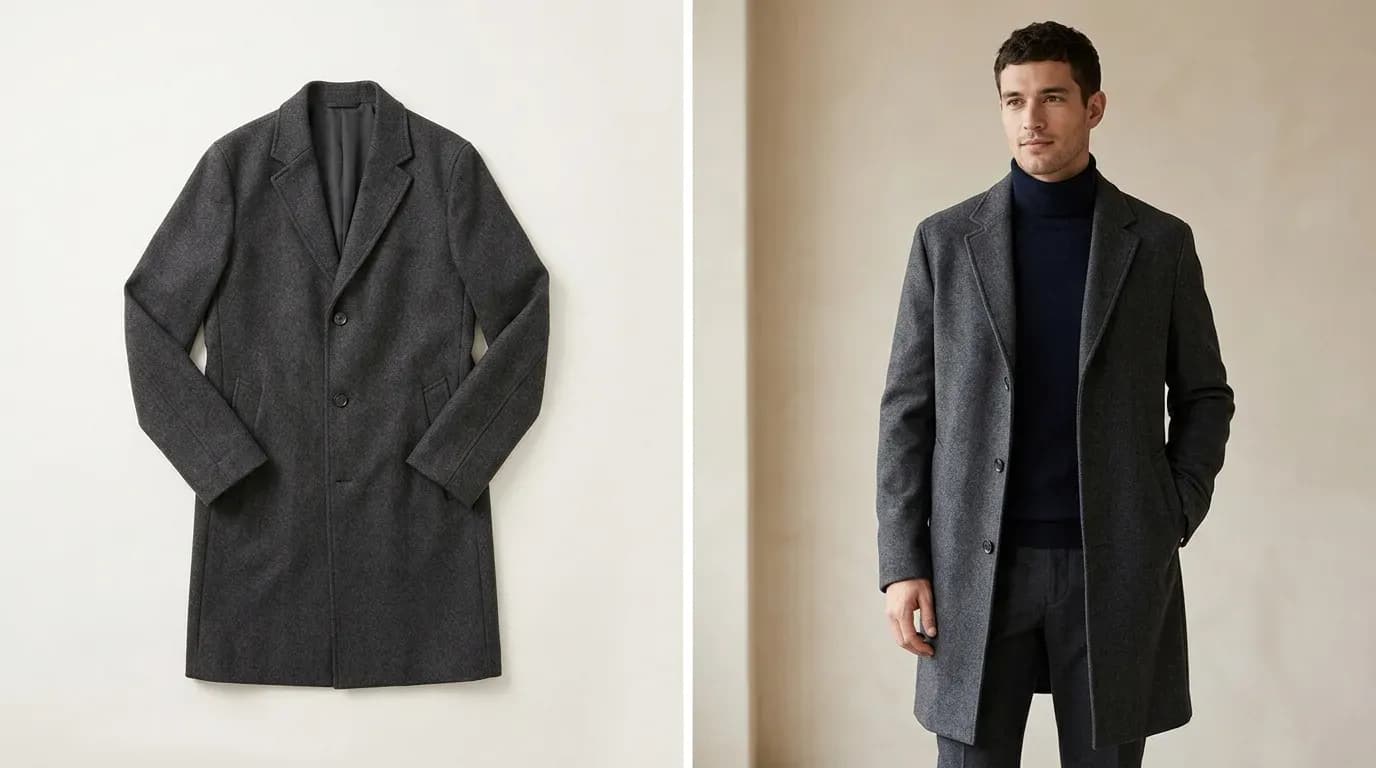
Flat Lay vs. On-Model Photos: Which Actually Converts Better?
The conversion data behind flat lay vs. on-model photography-costs, tradeoffs, and the middle-ground options that close the gap without a $10K shoot.
 Apr 28, 2026
Flat Lay Clothing Photography: Complete Setup Guide for Ecommerce
Set up flat lay clothing photography on any budget - gear, lighting, styling, and a practical path to upgrading flat lays into on-model shots with AI.